
1099-NEC OCR API: Extract Contractor Payment Data from PDF to JSON
Learn how a 1099-NEC OCR API extracts structured data from 1099-NEC tax forms, covering IRS field mapping, JSON output, bulk processing for January filing season, and integration patterns for payroll and tax software developers.
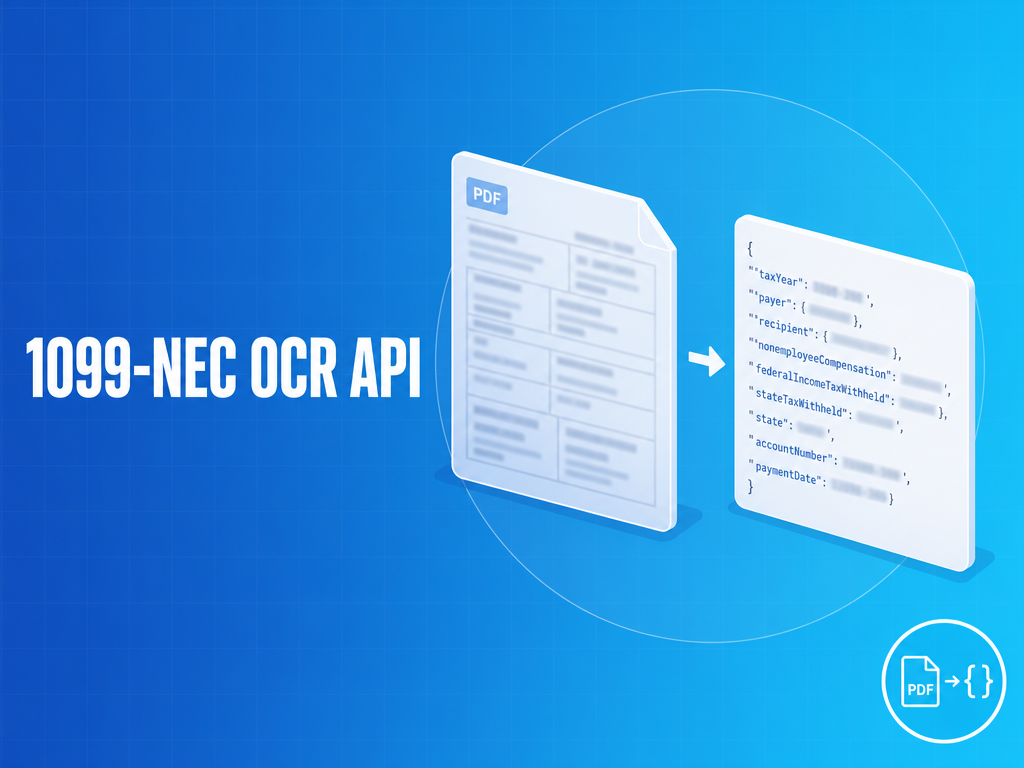
The FormX 1099-NEC OCR API accepts a PDF or image of a 1099-NEC form and returns a structured JSON object with every IRS-defined field mapped to a typed key. Payer and recipient sections are extracted separately, box values are typed as decimals or booleans rather than raw strings, and confidence scores are included per document. The API handles scanned contractor copies, phone camera photos, multi-form PDFs, and CORRECTED variants without pre-processing on your side.
What the API Returns — The 1099-NEC JSON Schema
The response schema maps directly to the IRS form structure. Every field is present in every response — boxes that are not populated on the form return null rather than being omitted, which simplifies downstream null-handling in your code.
{
  "document_type": "1099-NEC",
  "tax_year": "2024",
  "form_variant": "Copy B",
  "corrected": false,
  "void": false,
  "payer": {
    "name": "Acme Corp",
    "address": "456 Commerce Ave, New York, NY 10001",
    "tin": "12-3456789",
    "phone": "212-555-0100"
  },
  "recipient": {
    "name": "Jane Contractor",
    "address": "789 Freelance St, Austin, TX 78701",
    "tin": "***-**-6789",
    "account_number": "REF-2024-001",
    "second_tin_not": false
  },
  "boxes": {
    "box_1_nonemployee_compensation": 48500.00,
    "box_2_direct_sales_checkbox": false,
    "box_4_federal_tax_withheld": 0.00,
    "box_5_state_tax_withheld": null,
    "box_6_state_payer_number": null,
    "box_7_state_income": null
  },
  "confidence": 0.96
}
A few schema details worth noting before you build your integration. Boxes 3 and 8 are reserved on the 1099-NEC layout for tax years 2020–2025 and will not appear in the response for those years. Note: the IRS released a draft 2026 Form 1099-NEC (April 2026) that adds Box 3 for excess golden parachute payments — once 2026 forms enter circulation, the schema will be updated accordingly. The state boxes (5, 6, and 7) return null for contractors based in no-income-tax states like Texas, Florida, and Nevada, where payers leave those boxes blank — this is correct behavior, not a parse failure. The payer TIN is always in EIN format (XX-XXXXXXX); the recipient TIN can be either SSN (XXX-XX-XXXX) or EIN depending on whether the contractor operates as an individual or entity, and the format difference is how you distinguish them. IRS rules permit payers to mask the recipient TIN on Copy B as XXX-XX-1234 — when the form is masked, the API returns the masked value as-is.
Quickstart — Extract Your First 1099-NEC in Under Five Minutes
A single API call submits a 1099-NEC as a PDF, image, or URL pointing to a hosted file, and returns the structured JSON shown below. The API accepts both local file uploads via multipart form-data and remote URLs for documents stored in cloud storage or document management systems. For authentication setup, request parameters, and integration code examples, see the FormX documentation at help.formx.ai.
Reading the response:
{
  "id": "ext_01j9kxz4m7vbn2p3q8r5t6y",
  "status": "complete",
  "document_type": "1099-NEC",
  "tax_year": "2024",
  "form_variant": "Copy B",
  "corrected": false,
  "void": false,
  "payer": {
    "name": "Acme Corp",
    "address": "456 Commerce Ave, New York, NY 10001",
    "tin": "12-3456789",
    "phone": "212-555-0100"
  },
  "recipient": {
    "name": "Jane Contractor",
    "address": "789 Freelance St, Austin, TX 78701",
    "tin": "***-**-6789",
    "account_number": "REF-2024-001",
    "second_tin_not": false
  },
  "boxes": {
    "box_1_nonemployee_compensation": 48500.00,
    "box_2_direct_sales_checkbox": false,
    "box_4_federal_tax_withheld": 0.00,
    "box_5_state_tax_withheld": null,
    "box_6_state_payer_number": null,
    "box_7_state_income": null
  },
  "confidence": 0.96,
  "processing_time_ms": 1240
}
The id field is the extraction ID you will use for webhook callbacks or polling on async jobs. The confidence score is per-document — values below 0.80 indicate a quality issue that may warrant manual review before the record is committed to your database.
IRS Field Names Mapped to API Response Keys
| IRS Label | Box # | API Field | Type | Notes |
|---|---|---|---|---|
| Nonemployee compensation | 1 | box_1_nonemployee_compensation |
decimal | Primary field — payments of $600+ trigger filing obligation |
| Payer made direct sales | 2 | box_2_direct_sales_checkbox |
boolean | A checkbox, not a dollar amount — common misread with generic OCR |
| (reserved) | 3 | (not present) | — | Reserved (blank) on 2020–2025 forms; IRS draft 2026 form adds Box 3 for excess golden parachute payments |
| Federal income tax withheld | 4 | box_4_federal_tax_withheld |
decimal | Only populated for backup withholding (24%) — unusual in practice |
| State tax withheld | 5 | box_5_state_tax_withheld |
decimal | null for no-income-tax states (TX, FL, NV, etc.) |
| State / Payer’s state no. | 6 | box_6_state_payer_number |
string | null when box 5 is null |
| State income | 7 | box_7_state_income |
decimal | null when box 5 is null |
Box 2 requires explicit handling: it is a printed checkbox on the form that indicates the payer made $5,000 or more in direct sales of consumer products to the recipient for resale. Generic OCR tools either skip it entirely or return a filled-square character — neither maps to a database boolean. The API returns true or false.
Box 4 is worth calling out because it looks like it should always have a value but usually does not. Federal backup withholding at 24% applies only when a contractor provided an incorrect TIN or when the IRS issued a B-Notice to the payer. For the majority of 1099-NEC forms you will process, box_4_federal_tax_withheld returns 0.00 or null — do not treat a null here as a parse failure.
Historical batches: If your platform processes historical records, note that the 1099-NEC was reintroduced in 2020 after not existing since 1982. For tax years 2019 and earlier, nonemployee compensation was reported on 1099-MISC Box 7. The old 1099-MISC Box 7 (nonemployee_compensation) maps identically to 1099-NEC Box 1 (box_1_nonemployee_compensation) for pre-2020 forms you may encounter in historical processing batches.
Handling 1099-NEC Format Variations in Production
Copy A vs Copy B vs Copy C
Copy A is the red-ink IRS OCR paper submitted directly to the IRS — developers almost never encounter it because it goes from payer to IRS, not to contractors. Copy B (recipient copy) and Copy C (payer copy) are what arrive in contractor inboxes and what your users will upload. Copy B and Copy C have identical black-on-white layouts. The color layer on Copy A PDFs generated by some payroll software can confuse parsers that expect black-on-white — FormX handles this via color normalization before extraction.
Scan quality from contractors
Contractors submit 1099s in whatever state they received them: phone camera photos with perspective distortion, scanned copies with fold shadows down the center, faxed copies with compression artifacts, and multi-generation photocopies where the recipient TIN is barely legible. The API applies automatic rotation correction, deskewing, and contrast normalization before extraction. For images below a minimum resolution threshold, the API returns a low_quality warning in the response rather than silently returning inaccurate values.
Form year variations
The 1099-NEC layout has evolved between 2020 and the current year. The 2020 reintroduction used a slightly different box arrangement than the 2022 redesign. If you are processing a backlog of forms spanning multiple years, the API identifies the form year from the printed tax year field and applies the appropriate extraction model for that version rather than running a single universal model across all years.
Multi-form PDFs
Accounting software exports batches as a single PDF — one form per page, sometimes with multiple copies of the same form stacked. Submitting a 200-page PDF to the single-document endpoint returns an error. Use the batch endpoint (covered below) or split the PDF into per-page files before submitting. If your document management system delivers single-page files, the single-document endpoint handles the full throughput.
TIN truncation
IRS regulations permit payers to mask the recipient TIN on Copy B: XXX-XX-1234 instead of the full nine digits. Some payroll platforms always mask; others never do. The API returns the value as printed on the form — masked values are returned as masked strings, not as validation failures. Your downstream system should handle both 123-45-6789 and ***-**-6789 in the recipient TIN field.
CORRECTED and VOID checkboxes
When a payer issues a corrected 1099-NEC, the word “CORRECTED” appears as a checkbox at the top of the form. The API surfaces this as "corrected": true in the response root. A corrected 1099 supersedes the prior filing for that tax year and contractor — downstream systems must treat this as an upsert on (tax_year, payer_tin, recipient_tin), not as a new insert. A "void": true response means the payer has checked the VOID box, which instructs the IRS scanner to skip the form when processing a paper batch. VOID does not cancel a previously filed return — to retract a prior filing, the payer must submit a new CORRECTED form with zeroed dollar amounts. If you see "void": true, treat the record as excluded from the current batch, not as a retraction of a historical filing. Both flags are extracted from the printed form, not inferred.
Bulk Processing Patterns for January Filing Season
The 1099-NEC statutory deadline to furnish forms to recipients is January 31. Payers send forms in the final week of January, accounting firms receive client packets in late January and early February, and April brings stragglers who file extensions. Volume spikes are predictable and steep — January 15–31 is typically 4–6x average weekly volume for platforms processing contractor documents.
Batch upload endpoint
For batches of 500 or more forms, the batch endpoint accepts an array of document URLs in a single request and returns a batch_id immediately. Individual document results are delivered via webhook or retrievable via polling on the batch status endpoint, preventing total processing time from scaling linearly with document count. For request format details, see the FormX documentation at help.formx.ai.
Async processing with webhooks vs polling
For large batches, webhooks deliver each extraction result to a registered endpoint as soon as that document completes — the full extraction JSON is included in each delivery, signed with your webhook secret using HMAC-SHA256. For teams that prefer polling over managing webhook infrastructure, the batch status endpoint returns a completed_count, failed_count, and pending_count alongside an array of completed results. Webhook registration and event configuration details are covered in the FormX documentation at help.formx.ai.
Handling failures at scale
At volume, some documents will fail — typically due to corrupted files, password-protected PDFs, or forms with handwritten amendments that fall below confidence thresholds. The batch response separates successes from failures with typed error codes: low_quality, unsupported_format, encrypted, and parse_error. Implement separate queues for retries (low_quality, parse_error) versus errors that require human intervention (encrypted, corrupted). Do not retry encrypted files programmatically — they require the decryption key before resubmission.
Rate limits during peak season
| Plan | Requests per minute | Concurrent batch jobs | Max batch size |
|---|---|---|---|
| Starter | 60 | 2 | 100 documents |
| Growth | 300 | 10 | 1,000 documents |
| Enterprise | Custom | Custom | Unlimited |
For client-side throttling, implement token bucket logic with a 1-second refill interval rather than fixed delays between requests. If you hit a 429 Too Many Requests response, the Retry-After header specifies the seconds to wait before the next request. Pre-scheduling high-volume batches for off-peak hours (overnight, early morning) avoids rate limit collisions during the January peak.
Integration Patterns by Platform Type
Payroll and contractor management platforms
Contractor management platforms typically receive 1099s as proof of payment from clients rather than generating them. The integration pattern is: contractor uploads a 1099-NEC received from a payer, your platform extracts the data, and the system reconciles the extracted Box 1 value against your internal payment records for that contractor.
After extraction, recipient.tin is matched against the contractor’s profile to confirm identity, and boxes.box_1_nonemployee_compensation is compared against the platform’s own payment records for that contractor. A discrepancy above a minimal tolerance routes the record to a manual review queue rather than auto-verifying it.
When corrected is True in the response, upsert the record rather than inserting a new one — your database should have at most one verified 1099-NEC per (contractor_id, payer_tin, tax_year) tuple.
Accounting software and document intake
Accounting platforms receive batches of 1099-NECs from clients — a sole proprietor might upload 15 forms they received from different clients in one session. The workflow is bulk extract, structure into records, then push to the chart of accounts or tax filing module.
The batch is submitted in a single request and processed asynchronously. Once all documents complete, the results are aggregated by payer TIN — summing boxes.box_1_nonemployee_compensation across all forms from each payer — to build an income-by-source summary for the client’s Schedule C, which is then pushed to the chart of accounts or tax filing module.
Flag any result where corrected is true for the accountant to review before filing — a corrected 1099 may change the client’s Schedule C income and therefore their tax liability.
Gig economy platforms
Platforms that issue 1099-NECs to their contractors can use the API as a QA step: generate the forms, then immediately extract them to verify the extraction matches your internal payment records before sending to contractors. This catches formatting errors from your PDF generation library before they reach the IRS or the contractor.
Each generated PDF is extracted immediately after creation, and the extracted payer.tin, recipient.tin, and boxes.box_1_nonemployee_compensation values are compared against the source payment data for that contractor. A mismatch or a confidence score below threshold indicates a layout regression from a PDF library update or template change.
Running this check against a sample of generated PDFs before the January 31 distribution deadline catches layout regressions introduced by PDF library updates or template changes.
Authentication and Limits
All requests authenticate via the Authorization: Bearer YOUR_API_KEY header. API keys are scoped to your workspace and created in the FormX dashboard under Settings → API Keys. The base URL for all extraction endpoints is https://api.formx.ai/v1/.
| Endpoint | Method | Path |
|---|---|---|
| Single document | POST | /v1/extract |
| Batch submit | POST | /v1/batch/extract |
| Batch status | GET | /v1/batch/{batch_id} |
| Webhook registration | POST | /v1/webhooks |
File size limit per document is 50 MB. Supported input formats are PDF, JPEG, PNG, TIFF, and WEBP. For password-protected PDFs, decrypt before submission — the API does not accept decryption passwords.
Related Guides
If you are building a tax document processing pipeline that includes employee W-2s alongside contractor 1099-NECs, see the W-2 OCR API guide for the equivalent JSON schema and integration patterns for US W-2 forms. For European invoice processing with ZUGFeRD or Factur-X structured data, see the ZUGFeRD Extraction API guide.
Not a developer? Use the 1099 Extractor for a no-code, browser-based option — no signup required for single-document extractions.
Try the free 1099-NEC extractor at formx.ai/tools/1099-extractor — no account required for single-form extraction. For API access and volume pricing, schedule a demo.