
W-2 to Excel, CSV, and JSON: How to Extract and Convert W-2 Data
How to convert a W-2 to Excel, CSV, or JSON with OCR, covering field extraction, bulk processing, scanned forms and photos, and an accurate W-2 extraction API.
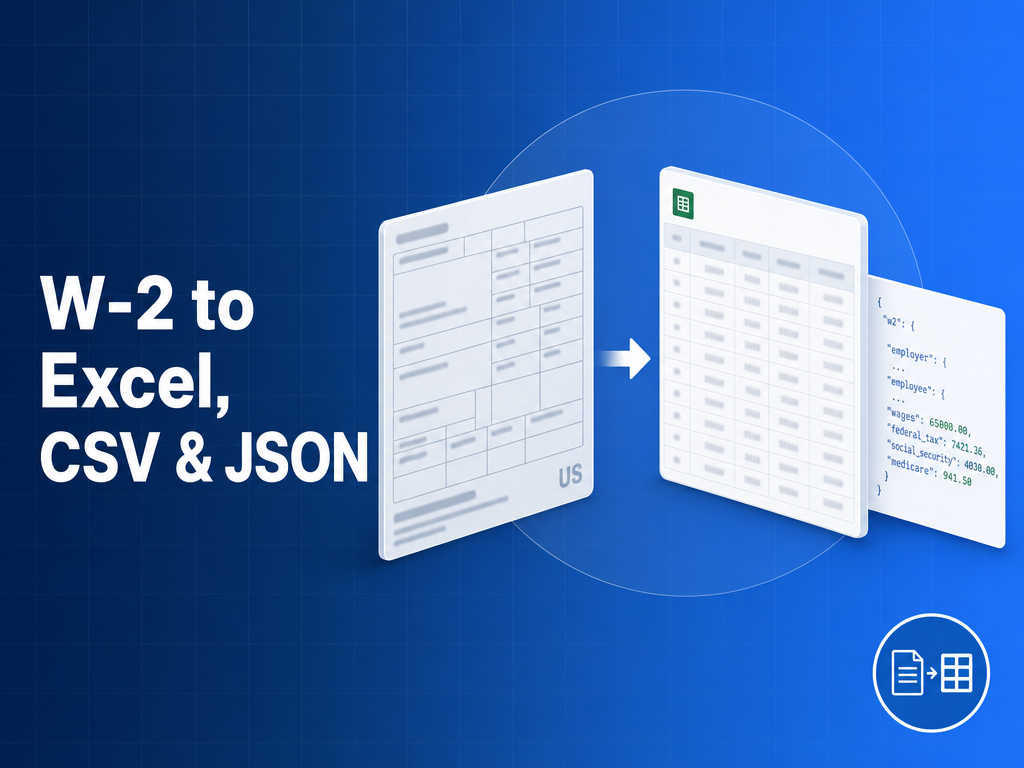
The fastest way to turn a W-2 into usable data is a W-2 OCR tool that reads the form and exports structured fields to Excel, CSV, or JSON. Whether you have a single scanned W-2, a phone photo, or a batch of thousands to process at tax time, a purpose-built W-2 extractor like FormX converts each form into clean columns or a JSON object without manual data entry. This guide covers how to extract and convert W-2 forms with FormX accurately, in bulk, and programmatically.
How do you convert a W-2 to Excel or CSV?
To convert a W-2 to Excel or CSV, run the form through a W-2 OCR tool that maps each box to a named field and exports one row per form. Upload a PDF, scan, or photo of the W-2, and the tool returns Box 1 through Box 20 as spreadsheet columns. The detail that matters: keep Box 12 codes (D, DD, W, AA) in their own columns, because a converter that flattens them into one cell loses the meaning of each amount. FormX preserves every coded value as a discrete field so the Excel or CSV export stays audit-ready.
How do you convert a W-2 to JSON?
To convert a W-2 to JSON, use a W-2 extraction API like FormX that returns a normalized object you can send straight to payroll or tax software. The FormX response carries the employee and employer identifiers, federal wage and withholding amounts (Box 1 and Box 2), Social Security and Medicare figures, Box 12 codes with their amounts, and state wage and tax lines (Box 16 and Box 17), so every value is a labelled field rather than free text.
Why do you need a W-2-specific extractor instead of generic OCR?
You need a W-2-specific extractor because generic OCR reads characters without understanding the form. It cannot reliably tell Box 1 wages from Box 2 withholding, and it drops the Box 12 codes entirely. An accurate W-2 extractor is trained on the W-2 schema, so it does field extraction (not just text extraction), handles employer template variance, and reads the SSA layout consistently. That structural awareness is what makes automated W-2 extraction accurate enough to trust.
Can you extract from a photo or scan of a W-2?
Yes. FormX reads a photo of a W-2, a scanned image, or a digital PDF and returns the same fields. Photographed and scanned forms are pre-processed (deskew, denoise, 300 DPI minimum) before FormX runs extraction, so a phone photo converts to Excel just like a clean PDF. Multi-page files holding several W-2s are split into one record per form.
How do you extract W-2 data in bulk?
Bulk W-2 extraction with FormX uses a batch or asynchronous API: submit many forms in one request and retrieve results together, rather than one call per document. This is what makes W-2 season workable for tax platforms processing tens of thousands of forms, and FormX bills pay-as-you-go so cost scales with volume instead of a flat fee.
Extract W-2 data programmatically (API and SDK)
To extract W-2 data programmatically, POST a file to the FormX W-2 OCR API and receive JSON in seconds. The FormX parsing API accepts PDFs and images, returns per-field confidence scores, and integrates into onboarding, mortgage, or payroll-audit workflows. You can call the FormX REST endpoint directly or wrap it in your own SDK.
W-2 extraction and conversion tools compared
| Tool | W-2-specific model | Box 12 codes | To Excel / CSV / JSON | Bulk / API | Pricing |
|---|---|---|---|---|---|
| FormX | Yes | Preserved | Yes, all three | Yes, batch + async | Pay-as-you-go |
| DocuClipper | Tax-form focused | Partial | Yes | Limited API | Subscription |
| Affinda | Yes | Yes | Yes | Yes | Subscription |
| Generic OCR | No | No | Manual mapping | Varies | Varies |
Frequently asked questions
Is there a free W-2 to Excel tool? Yes, FormX offers a free W-2 extractor for one-off conversions with no signup, plus an API for bulk use.
What is the best W-2 to Excel tool? The best option preserves Box 12 codes, reads scans and photos, and offers bulk export; FormX does all three.
Can I turn a W-2 into CSV? Yes, FormX exports the extracted fields as CSV with one row per form.
How accurate is automated W-2 extraction? FormX returns per-field confidence scores that let you auto-accept high-confidence fields and review the rest.
How FormX handles W-2 conversion
FormX is purpose-built for structured financial documents like the W-2:
- Converts W-2 forms to Excel, CSV, and JSON with Box 12 codes preserved
- Reads scanned images, phone photos, and digital PDFs in one pipeline
- Returns normalized JSON with per-field confidence scores
- Batch and async endpoints for W-2-season volume, pay-as-you-go pricing
Related reading: W-2 OCR API: automate W-2 extraction at scale · Best tax form extraction tools · Convert a tax form photo to Excel