
W-2 OCR API: Automate W-2 Data Extraction at Scale
Learn how a W-2 OCR API extracts structured data from W-2 tax forms, covering scanned vs digital PDFs, Box field mapping, JSON output, and bulk processing.
Every tax season, accounting teams and payroll processors face the same bottleneck: stacks of W-2 forms that need to be digitized, verified, and pushed into downstream systems. Manual data entry is slow, error-prone, and scales badly. A W-2 OCR API solves this by automatically extracting structured field data from W-2 forms (whether they arrive as clean digital PDFs or low-quality scanned images) and returning the results as JSON, CSV, or Excel.
This guide covers how W-2 OCR APIs work, what makes them different from general-purpose OCR, the full list of extractable fields, and what to look for when choosing one for your workflow.
Why General-Purpose OCR Fails on W-2 Forms
The core problem with applying generic OCR to W-2s is that OCR reads characters, not meaning. A generic OCR engine will successfully extract the number “14,400” from a W-2 but has no way of knowing whether it belongs to Box 1 (wages) or Box 2 (federal income tax withheld). When box positions shift even slightly between different employer print formats, the field assignments break.
This is where scanned W-2s compound the problem. Digital PDFs from payroll providers like ADP, Gusto, and Paychex are generated programmatically and have consistent layouts. Scanned copies of printed W-2s (which are common when employees submit physical copies for onboarding, mortgage applications, or manual tax prep) introduce skew, noise, inconsistent resolution, and format variance that generic OCR handles poorly.
A purpose-built W-2 OCR API is trained specifically on the W-2 form schema. It understands that Box 12 has lettered codes (D, DD, W, AA, etc.) that determine what the associated dollar figure represents. It knows that Box 13 contains checkboxes, not numeric values. It can handle multi-W-2 pages where an employee holds two or more jobs. That structural awareness is what drives accuracy on real-world documents.
W-2 Fields: What Gets Extracted
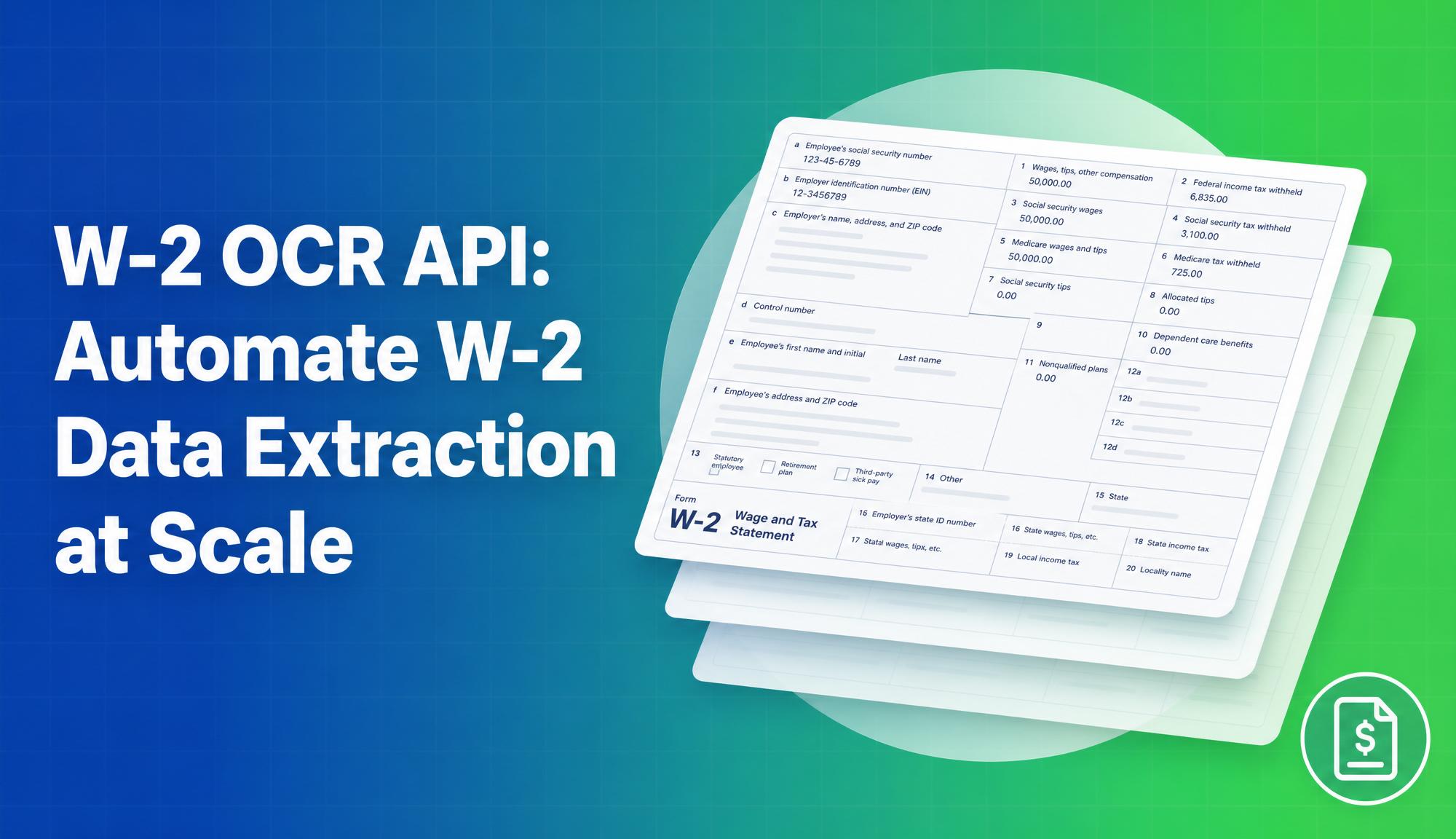
A complete W-2 OCR API should return structured data for all standard W-2 boxes. Here is what each box contains:
| Box | Field | Description |
|---|---|---|
| a | Employee SSN | Social Security Number |
| b | Employer EIN | Employer Identification Number |
| c | Employer name and address | Full employer details |
| d | Control number | Optional internal reference |
| e–f | Employee name and address | Full employee details |
| 1 | Wages, tips, other compensation | Total taxable wages |
| 2 | Federal income tax withheld | Federal withholding amount |
| 3 | Social security wages | Wages subject to SS tax |
| 4 | Social security tax withheld | SS tax deducted |
| 5 | Medicare wages and tips | Wages subject to Medicare |
| 6 | Medicare tax withheld | Medicare tax deducted |
| 7 | Social security tips | Tips subject to SS tax |
| 12a–12d | Codes and amounts | Lettered codes (D=401k, DD=employer health, W=HSA, AA=Roth 401k) |
| 13 | Checkboxes | Statutory employee, retirement plan, third-party sick pay |
| 15 | State and employer state ID | State abbreviation and ID number |
| 16 | State wages | State-level taxable wages |
| 17 | State income tax withheld | State withholding amount |
| 18–20 | Local wages and tax | Local/city tax information |
The Box 12 codes deserve particular attention. There are over 30 valid codes, each representing a different benefit or deduction category. An OCR API that only extracts the number without the code is useless for downstream payroll or benefits processing.
What the JSON Output Looks Like
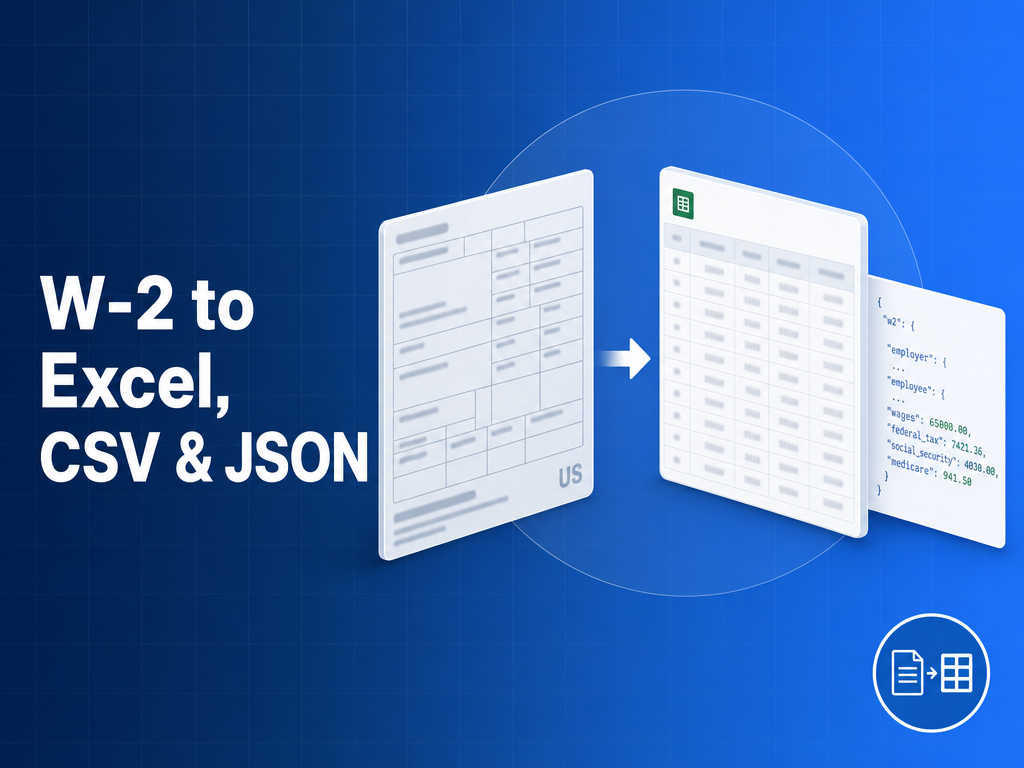
A well-structured W-2 OCR API returns a normalized JSON object rather than raw key-value pairs. Here is a representative output:
{
  "document_type": "W-2",
  "tax_year": "2024",
  "employee": {
    "ssn": "***-**-1234",
    "first_name": "John",
    "last_name": "Smith",
    "address": "123 Main St, Boston, MA 02101"
  },
  "employer": {
    "ein": "12-3456789",
    "name": "Acme Corp",
    "address": "456 Commerce Ave, New York, NY 10001"
  },
  "federal": {
    "box_1_wages": 72000.00,
    "box_2_federal_tax_withheld": 14400.00,
    "box_3_ss_wages": 72000.00,
    "box_4_ss_tax_withheld": 4464.00,
    "box_5_medicare_wages": 72000.00,
    "box_6_medicare_tax_withheld": 1044.00
  },
  "box_12": [
    { "code": "D", "amount": 5000.00 },
    { "code": "DD", "amount": 3200.00 }
  ],
  "box_13": {
    "statutory_employee": false,
    "retirement_plan": true,
    "third_party_sick_pay": false
  },
  "state": [
    {
      "state": "MA",
      "employer_state_id": "123456789",
      "box_16_state_wages": 72000.00,
      "box_17_state_tax_withheld": 5040.00
    }
  ],
  "confidence": 0.97
}
A confidence score per document (and ideally per field) is essential for production workflows. It tells you which extractions to auto-approve and which to route for human review, which is how you keep throughput high without sacrificing accuracy.
Scanned W-2s vs Digital PDFs
The extraction strategy differs meaningfully depending on the input format.
Digital PDFs from payroll software are text-selectable. The character data is already embedded in the file, so extraction is fast and accurate. The main risk is field misalignment if the employer used a non-standard template.
Scanned W-2s require pre-processing before extraction: deskewing, contrast normalisation, and resolution enhancement. The OCR engine then reads the characters from the image layer. Quality degrades significantly below 300 DPI, so low-resolution mobile phone photos of W-2s are a real challenge for any extraction tool.
Multi-W-2 documents (where two or more W-2s appear on the same PDF page or across multiple pages) require document segmentation before field extraction. This is common in consolidated tax packages from payroll providers.
A production-grade W-2 OCR API handles all three scenarios without separate configuration.
Bulk W-2 Extraction and Batch Processing
Individual API calls work fine for on-demand extraction during onboarding workflows. For batch processing (importing a full season of W-2s for multiple employees), you need:
- Batch endpoint: Submit an array of document URLs or files in a single request rather than one call per document
- Asynchronous processing: For large batches, a webhook or polling endpoint to retrieve results when ready rather than blocking on each call
- Bulk export: Download all extracted results as a single Excel or CSV file, with one row per W-2 and columns mapping to each box
The cost model matters here. Subscription-based OCR APIs charge the same monthly fee whether you process 10 W-2s or 10,000. For seasonal batch jobs (where volume spikes during January and February), a pay-as-you-go model that charges per document is often significantly cheaper.
W-2 to Excel and CSV Export
For teams that do not need a developer integration, direct Excel or CSV export covers most use cases. The expected column structure for a W-2 export is:
- Employee name, SSN (last 4), EIN
- Box 1 through Box 6 as numeric columns
- Box 12 codes as separate columns (Box 12a Code, Box 12a Amount, Box 12b Code, etc.)
- State columns for multi-state W-2s
The main thing to verify in any export tool is whether Box 12 codes are preserved alongside their amounts. Tools that export just the dollar figures without the lettered codes lose the data that determines what those figures represent.
W-2 OCR Tools Compared
Not every extraction tool is built for tax forms. General-purpose OCR and receipt-first platforms miss the structural details that make W-2 data usable, especially Box 12 code mapping and multi-state blocks. Here is how the common options compare:
| Tool | W-2-specific model | Box 12 code mapping | Bulk / async API | Excel / CSV export | Pricing |
|---|---|---|---|---|---|
| FormX | Yes, trained on W-2 schema | Yes, code + amount preserved | Yes, batch + async | Yes | Pay-as-you-go |
| DocuClipper | Tax-form focused | Partial | Limited API | Yes | Subscription |
| Affinda | Yes | Yes | Yes | Yes | Subscription |
| Veryfi | Receipt / invoice-first | No | Yes | Yes | Subscription |
| Generic OCR (e.g. Textract) | No | No | Varies | Manual mapping | Varies |
The differentiators that matter for W-2 workflows are a form-specific model (so fields map correctly across employer templates), Box 12 code preservation, and a pricing model that suits seasonal volume spikes.
Frequently Asked Questions
Is there a free W-2 extractor?
Yes. FormX offers a free W-2 extractor tool for one-off conversions with no signup, alongside a W-2 OCR API for programmatic and bulk use.
Can I extract W-2 data programmatically?
Yes. The W-2 extraction API accepts a PDF or image via a single POST request and returns normalized JSON you can integrate into payroll, onboarding, or tax software.
Does it work on a photo of a W-2?
Yes. Scanned images and mobile photos (JPG/PNG) are supported alongside digital PDFs, though accuracy improves at 300 DPI or higher.
How accurate is automated W-2 extraction?
Extraction returns per-field confidence scores (for example 0.97), so you can auto-approve high-confidence fields and route only low-confidence ones for human review.
Is there a W-2 OCR SDK or API?
Yes. FormX exposes a REST API for W-2 extraction that returns structured JSON, which you can call directly or wrap in your own SDK.
How FormX Handles W-2 Extraction
FormX is a document data extraction API purpose-built for structured financial documents. For W-2 forms, FormX extracts all standard boxes, including Box 12 codes, Box 13 checkboxes, and multi-state fields, and returns normalized JSON.
Key capabilities for W-2 workflows:
- Handles both digital PDFs and scanned images, including low-quality mobile captures
- Returns per-field confidence scores to flag low-confidence extractions for review
- Supports bulk submission for seasonal batch processing
- Exports directly to Excel or CSV with preserved Box 12 code mapping
- PAYG pricing: no monthly minimum, credits never expire
For teams building custom onboarding, mortgage processing, or payroll audit workflows, the FormX API integrates via a single POST request and returns structured JSON within seconds.
Try the free W-2 extractor tool to run your first extraction with no signup required, or schedule a demo to see how FormX fits into your workflow.