
Stop Matching Codes by Hand: How FormX AI Code Mapping Works
FormX AI Code Mapping automatically matches extracted document values — tenant names, providers, expense descriptions — to your internal codes, so no one has to look them up by hand.
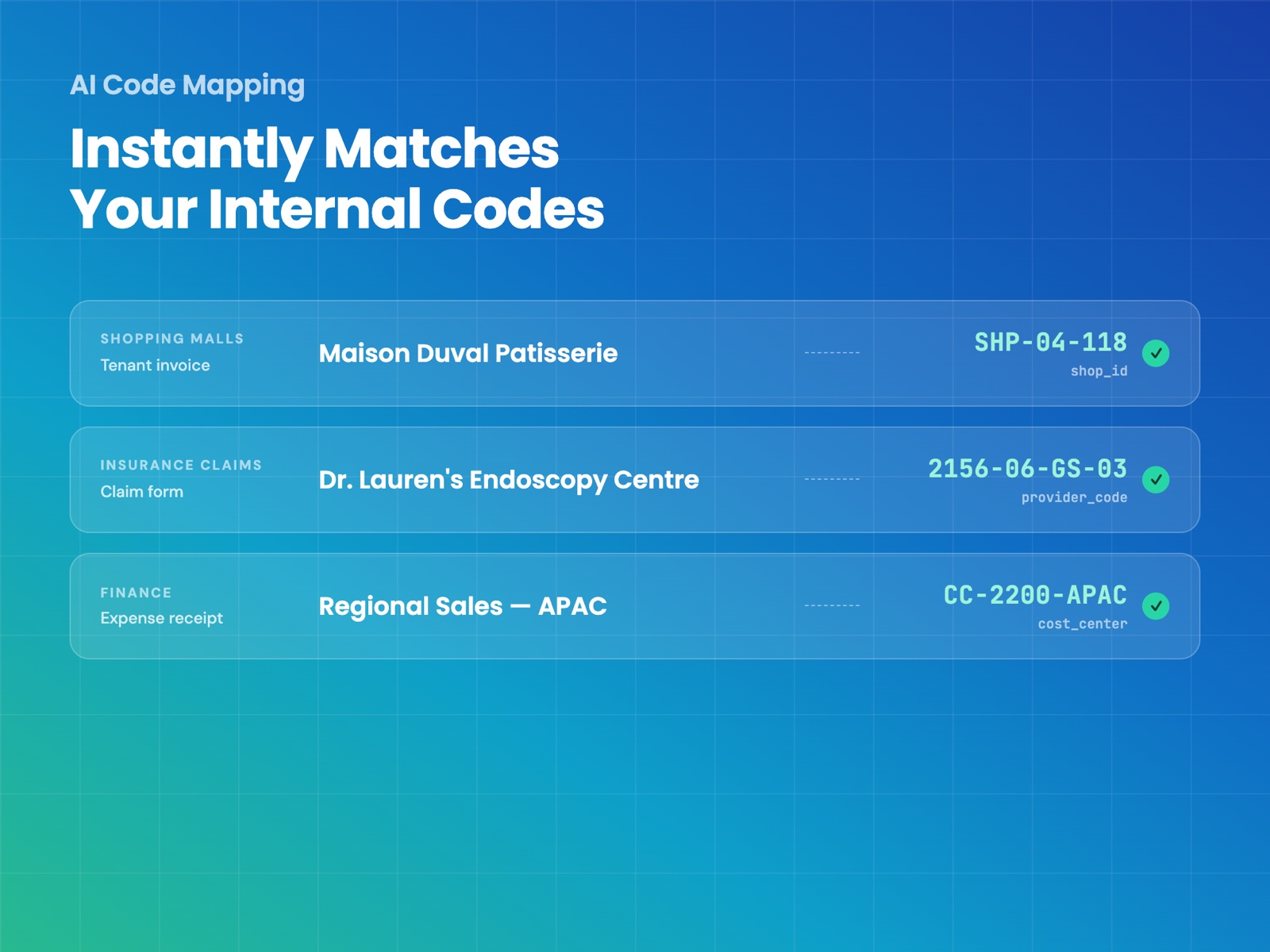
There’s a step almost every back-office team quietly does by hand: someone opens a lookup sheet, finds the row that matches what’s on the document, and copies over a code. A tenant name becomes a Shop ID, a clinic name becomes an in-network provider code, an expense description becomes a cost center. It’s not hard work, but it’s repetitive, it doesn’t scale, and it’s exactly the kind of thing that gets skipped when someone’s in a hurry.
FormX can now do that match for you.
What you stop doing
FormX already extracts the raw values off your documents — names, descriptions, amounts. The problem is your systems don’t run on raw values, they run on codes, and getting from one to the other used to mean a human and a spreadsheet. FormX AI Code Mapping closes that gap: extract the value, match it to your list, get the code back.
Three steps to set it up
1. Upload your reference list. Whatever you already use to look things up — merchant codes, in-network providers, cost centers, diagnosis codes, SKUs — upload it as a CSV. That becomes your Code Database.
2. Connect it to a field. Pick the field in your extractor that should return a code, and point it at the database you just uploaded. You can also tell FormX a bit about what to look for — think of it as briefing a new hire, the more context you give, the better it performs.
3. Test it and go. From here, every document you run through that extractor gets matched automatically.
When there’s no clean match
Some matches aren’t obvious — a diagnosis written three different ways, a merchant name with a typo. Instead of picking one silently, FormX AI Code Mapping flags it as ambiguous and shows you the other candidates it considered. You stay in control of the judgment call; FormX just does the legwork of narrowing it down.
See it in action
If you want to see it run against your own documents and code database, book a demo with us today and we’ll help you set up.
Can’t wait to see how it all works? Watch our demo.
Latest articles