
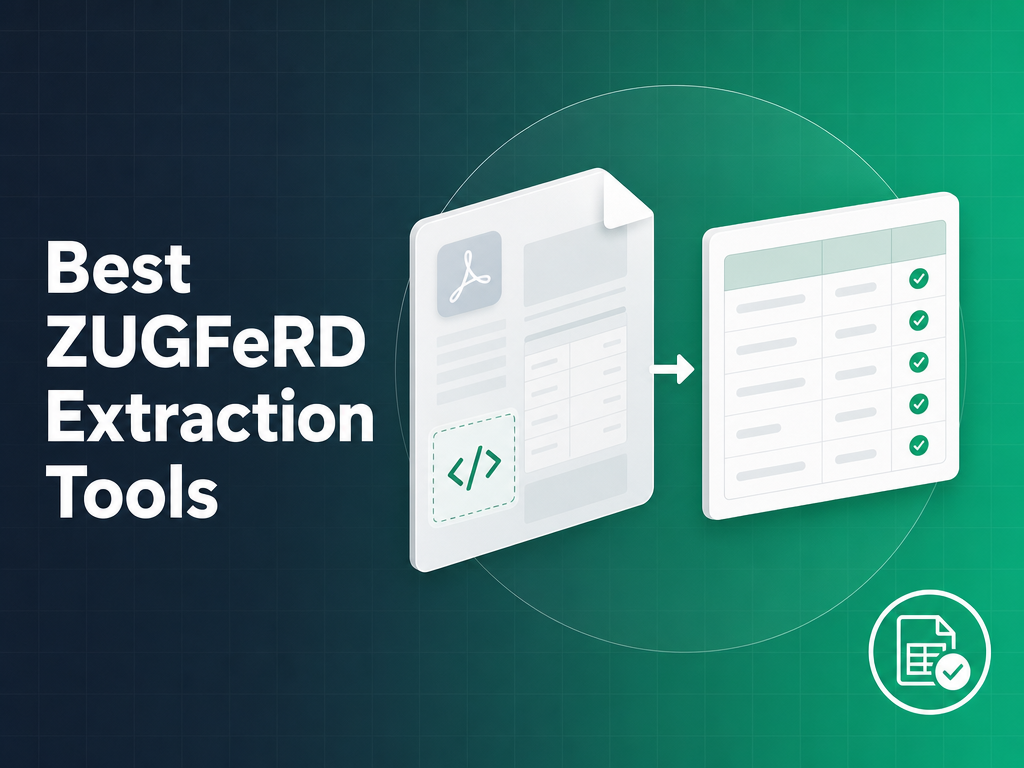
Best ZUGFeRD Extraction Tools in 2026 (API, Bulk & Free Options)
Compare the best ZUGFeRD data extraction tools for 2026, covering API access, Factur-X and XRechnung compatibility, bulk processing, free options, and the EU e-invoice mandate.
Germany’s B2B e-invoicing mandate has been live since January 2025 — receiving capability for ZUGFeRD and XRechnung invoices is mandatory now, with sending mandates phasing in through 2028 based on company revenue. If your AP workflow or ERP integration needs to process ZUGFeRD documents at scale, the tool you choose matters more than it might appear. Here is how the leading options compare across the criteria that actually determine whether a ZUGFeRD extraction pipeline works reliably in production.
What Makes ZUGFeRD Extraction Different from Regular Invoice OCR
ZUGFeRD — and its French and EU market equivalent, Factur-X — is a hybrid format. A single PDF/A-3 file contains two complete representations of the same invoice: a human-readable PDF layer for display and printing, and a machine-readable XML file embedded as an attachment. The XML follows the UN/CEFACT Cross Industry Invoice (CII) schema.
This structure is deliberate. It allows senders to issue one file that works whether the recipient processes it manually or automatically. But it creates a critical evaluation question for any extraction tool: is it reading the embedded XML, or is it running OCR on the PDF layer?
OCR on the PDF layer treats a ZUGFeRD invoice the same as a flat, unstructured PDF scan. It pixel-scrapes the visual representation of the data, introduces transcription errors on amounts and account numbers, and discards the structured XML entirely. This is how most general-purpose invoice OCR tools handle ZUGFeRD — they were built for unstructured PDFs and ZUGFeRD is just another input type.
XML extraction reads the attached CII XML directly. The data is already structured, tagged, and machine-readable. No OCR step is needed. Field accuracy is deterministic rather than probabilistic.
ZUGFeRD profiles and what they contain
ZUGFeRD defines six profiles with increasing data depth:
| Profile | EN 16931 compliant | Line items | VAT detail | Typical use case |
|---|---|---|---|---|
| MINIMUM | No | No | No | Archival / document routing (not a valid invoice under German law) |
| BASIC WL | No | No | No | Simple B2B invoices without line-item detail |
| BASIC | No | Yes | Yes | Standard supplier invoices |
| EN 16931 / COMFORT | Yes | Yes | Yes | Cross-border EU compliance |
| EXTENDED | Yes | Yes | Yes (extended) | Complex supply chains |
| XRECHNUNG | Yes | Yes | Yes | German public sector |
XRechnung deserves a note: it is a pure XML format with no PDF layer at all. An OCR-based tool cannot process it. Any extraction tool that handles ZUGFeRD but falls back to OCR will silently fail on XRechnung documents.
Factur-X is the same standard
Since ZUGFeRD 2.1, ZUGFeRD and Factur-X are fully harmonised — identical CII XML structure, identical file format, different label. France uses “Factur-X,” Germany uses “ZUGFeRD.” A tool that genuinely supports one supports the other. If a vendor claims ZUGFeRD support but does not mention Factur-X, ask how they handle files with a factur-x.xml attachment rather than zugferd-invoice.xml. This is the fastest way to identify whether their support is real or nominal.
Evaluation Criteria
Before any tool ranking: here are the eight criteria this comparison is built on.
1. XML extraction vs. OCR fallback. Does the tool read the embedded CII XML directly, or does it run OCR on the PDF visual layer? This is the single most important criterion. XML extraction is deterministic and accurate. OCR fallback introduces errors and cannot handle XRechnung at all.
2. Profile coverage. Which ZUGFeRD profiles are supported — MINIMUM through EXTENDED, and XRechnung? A tool that handles only BASIC will miss fields on EXTENDED invoices and fail entirely on XRechnung.
3. Factur-X compatibility. Can it process factur-x.xml attachments in addition to zugferd-invoice.xml? Essential for any EU cross-border workflow involving French suppliers.
4. Output formats. Does it return structured JSON with discrete fields (invoice number, vendor name, line items, amounts, tax codes) or raw XML that you must parse yourself? JSON is the practical output for API integrations; raw XML is a partial solution.
5. API access. Is the extraction available via a REST API, or is it UI-only? AP automation at scale requires programmatic access. UI-only tools are evaluation tools, not production infrastructure.
6. Bulk and batch processing. Can you submit multiple documents in a single job and receive results asynchronously? Individual API calls per document are workable at low volume but break down at hundreds of invoices per day.
7. Self-hosted option. Can the tool run on-premises or in your own cloud environment? Relevant for German finance teams with data residency obligations under GDPR.
8. Free tier or trial. Is there a free online tool for single-document testing, a free tier for developers, or at minimum a meaningful trial before committing?
ZUGFeRD Extraction Tools Compared — 2026
| Tool | XML-native (not OCR) | All profiles + XRechnung | Factur-X | JSON output | REST API | Bulk processing | Self-hosted option | Free tier |
|---|---|---|---|---|---|---|---|---|
| FormX | ✓ | ✓ | ✓ | ✓ | ✓ | ✓ | ✗ | ✓ |
| Rossum | ✗ | Partial | Partial | ✓ | ✓ | ✓ | ✗ | Trial only |
| Klippa | ✓ | ✓ | ✓ | ✓ | ✓ | ✓ | ✗ | Trial only |
| ABBYY FlexiCapture | Partial | Partial | Partial | ✓ | ✓ | ✓ | ✓ | ✗ |
| Mustang (open source) | ✓ | ✓ | ✓ | ✗ (Java objects) | ✓ (Mustangserver) | ✗ | ✓ | ✓ (free) |
| Docsumo | ✗ | ✗ | ✗ | ✓ | ✓ | ✓ | ✗ | Trial only |
| SAP Document Management | Partial | Partial | Partial | ✓ (SAP formats) | ✓ (SAP API) | ✓ | ✓ | ✗ |
FormX
FormX processes ZUGFeRD invoices XML-first. When a PDF arrives, the extraction engine checks for an embedded XML attachment before doing anything else. If the XML is present, it parses the CII structure directly and maps fields to a normalized JSON response — no OCR step, no visual layer interpretation.
All six ZUGFeRD profiles are supported, including XRECHNUNG (which has no PDF layer at all). Factur-X files, which use the identical XML schema but with French naming conventions, are handled transparently. Field output covers the full invoice header (buyer, seller, invoice number, dates, payment terms), line items with quantity and unit price, and tax breakdown by rate.
For developers and AP teams evaluating options, FormX offers a free ZUGFeRD extraction tool at formx.ai for single-document testing — no account required. For production use, the API is pay-as-you-go, which avoids the monthly minimum commitment that makes other tools expensive during ramp-up periods. Bulk job submission is supported for high-volume processing.
Best for: ERP developers integrating ZUGFeRD into SAP, ERPNext, or Odoo; AP teams automating German e-invoice workflows; developers who want a tested free option before committing to an API plan.
Limitation: No self-hosted deployment. For teams with strict on-premises requirements, this is a constraint.
Rossum
Rossum is a widely deployed document AI platform with genuine enterprise scale and strong EU market presence. Its core technology is machine learning-based extraction trained on large invoice datasets. For mixed document environments — where ZUGFeRD makes up a fraction of invoice volume alongside scanned PDFs, images, and email-attached invoices — Rossum’s broad training data is an asset.
The limitation for ZUGFeRD-specific workflows is that Rossum’s extraction is not XML-native. It processes ZUGFeRD documents primarily through its ML/OCR pipeline, reading the PDF visual layer rather than extracting the embedded XML directly. This means it inherits the accuracy ceiling of OCR on structured documents: generally high but not deterministic, and unable to handle XRechnung files where there is no PDF to read.
Rossum does offer ZUGFeRD compliance tooling at the workflow level — validation rules, schema checks — but these are layered on top of the OCR extraction, not a replacement for XML parsing.
Best for: Enterprise teams processing high volumes of mixed invoice formats where ZUGFeRD is one format among many, and where Rossum’s ML model performance and workflow tooling justify the licensing cost.
Not recommended for: Workflows where ZUGFeRD is the primary format, teams that need XRechnung support, or developers who need cost-effective API access for ZUGFeRD-only use cases.
Doxis (formerly Klippa)
Klippa, a Netherlands-based document processing platform, was acquired by SER Group in March 2025 and rebranded as Doxis in early 2026. The product formerly known as Klippa DocHorizon is now marketed as Doxis AI.dp. If you encountered Klippa in prior research, Doxis is what you are evaluating now.
The underlying platform retains the EU e-invoice focus that made Klippa notable. It reads ZUGFeRD CII XML directly rather than falling back to OCR on the PDF layer, supports all standard ZUGFeRD profiles and Factur-X, and provides both a REST API and a UI-based validation and review layer — useful for AP teams that need human oversight alongside automation.
The primary practical drawback remains pricing. Doxis sits at a higher price point than FormX for API access, particularly for teams doing volume-based ZUGFeRD extraction without the broader document portfolio that would justify a full Doxis subscription. Implementation typically requires vendor engagement rather than self-service setup.
Best for: Mid-market EU finance teams that want a combined UI and API solution, need ZUGFeRD and Factur-X support across French and German supplier bases, and have budget for a vendor relationship.
Not recommended for: Developers who want self-service API access with transparent PAYG pricing, or teams processing primarily ZUGFeRD where the broader platform adds cost without value.
ABBYY FlexiCapture
ABBYY FlexiCapture is a legacy enterprise intelligent document processing platform that has been a reference implementation in large procurement and AP automation projects for over a decade. It appears in many enterprise ZUGFeRD discussions simply because it is already deployed in the environments where ZUGFeRD arrives.
FlexiCapture can be configured to extract ZUGFeRD data, and the platform does support ZUGFeRD XML extraction in its newer versions. However, the default FlexiCapture approach to invoice processing is OCR-first — configuring XML-native extraction for ZUGFeRD requires explicit project configuration, custom field mappings, and typically professional services involvement. Out of the box, it processes PDFs through its standard OCR pipeline.
The implementation overhead is the real cost here. FlexiCapture projects require trained configuration specialists, non-trivial setup timelines, and ongoing maintenance as ABBYY releases updates. For teams already running FlexiCapture at scale for other document types, adding ZUGFeRD processing is a configuration extension. For teams evaluating tools specifically for ZUGFeRD, the overhead is hard to justify.
Best for: Large enterprises already within the ABBYY ecosystem, with ABBYY-trained internal staff or a system integrator relationship, expanding an existing FlexiCapture deployment to handle ZUGFeRD.
Not recommended for: New deployments scoped specifically to ZUGFeRD processing, small-to-mid-size teams, or developers looking for API integration without enterprise sales and implementation overhead.
Mustang (Open Source)
Mustang is an open-source Java library for creating, reading, and validating ZUGFeRD and Factur-X invoices. It is maintained by Jochen Stärk and has been actively developed since ZUGFeRD 1.0. In developer forums discussing free ZUGFeRD extraction, Mustang is the most commonly cited option — and for good reason. It genuinely works.
Mustang reads the embedded CII XML directly, handles all ZUGFeRD profiles including XRECHNUNG, and exposes the data as Java objects with typed fields. Factur-X is supported transparently. There is no hosted API, no SaaS subscription, and no license cost. For a Java shop that wants zero ongoing cost and is comfortable building the API wrapper and infrastructure layer, Mustang is the correct choice.
The constraints are practical rather than technical. The core Mustang library has no hosted endpoint — you get Java objects, not a REST response. However, the Mustang project also ships Mustangserver, a hosted REST API (available at api.usegroup.de) that wraps the library and exposes ZUGFeRD parsing, validation, and conversion over HTTP. For teams that need a REST interface without building their own wrapper, Mustangserver is the path. The main tradeoff: there is no UI or review interface, no bulk job management, and output goes directly to your application code.
If you need to process ZUGFeRD documents in a Java application, Mustang is the most direct integration path available, free and with no external dependencies. If you need a hosted API or want to avoid maintaining a Java service, look elsewhere.
Best for: Java developers building ZUGFeRD processing into a larger application, teams with no budget for commercial tooling, developers who want to understand the XML structure before committing to an API.
Limitation: No hosted API, no UI, no bulk job management, no non-Java integration without a custom wrapper. Operational responsibility sits entirely with your team.
Docsumo
Docsumo is a document AI platform focused on automated data extraction from financial documents — bank statements, invoices, purchase orders, and similar. Its core technology is deep learning-based OCR combined with field extraction models trained on financial document types.
For ZUGFeRD processing, Docsumo treats the invoice as it would any other PDF: it runs its extraction pipeline on the visual layer. There is no ZUGFeRD-specific XML extraction path. This means field accuracy is bounded by OCR accuracy on the PDF layer, which for clean ZUGFeRD documents is often acceptable but for XRechnung files is a hard blocker — there is nothing for the OCR to read.
Docsumo is a reasonable choice when ZUGFeRD invoices are a minority of your document portfolio and you want a single platform to handle many document types. If ZUGFeRD and related German e-invoice formats are your primary use case, the mismatch between the tool’s OCR-first approach and ZUGFeRD’s XML-native structure is a fundamental fit problem.
Best for: Teams that process many document types (bank statements, receipts, purchase orders, mixed invoices) and need one platform across all of them, where ZUGFeRD is a small fraction of volume.
Not recommended for: Workflows where ZUGFeRD is the primary or exclusive input format, any workflow that includes XRechnung documents.
Frequently Asked Questions
What is the difference between ZUGFeRD and Factur-X?
ZUGFeRD and Factur-X are the same technical standard. Both use PDF/A-3 as the container and CII (Cross Industry Invoice) XML as the embedded data format. The difference is purely naming and market: Germany adopted the standard as “ZUGFeRD,” France adopted it as “Factur-X.” Since ZUGFeRD version 2.1, the two are fully harmonised — they use the same file structure, the same XML schema, and the same profiles. A ZUGFeRD invoice issued in Germany and a Factur-X invoice issued in France are technically identical files. Any tool that genuinely supports ZUGFeRD supports Factur-X, and vice versa.
Can I extract ZUGFeRD data without an API?
Yes. FormX provides a free online ZUGFeRD extraction tool for single-document processing at formx.ai — no account or signup required. Upload a ZUGFeRD PDF and get the extracted fields as JSON. This is useful for validating what data is in a specific invoice or testing your documents before building an API integration. For automation — processing ZUGFeRD invoices programmatically as they arrive — the API is the right path. The free tool does not support batch uploads or webhook delivery.
Does ZUGFeRD extraction require OCR?
No, and this is the most important technical distinction to understand. ZUGFeRD invoices contain the invoice data twice: once in the PDF visual layer and once in the embedded CII XML. A proper ZUGFeRD extractor reads the XML directly — no OCR required. The data is already structured with tagged fields, so extraction is a parsing operation, not a recognition operation.
OCR is only needed when processing the PDF visual layer, which is what general-purpose invoice OCR tools do when they encounter a ZUGFeRD file without XML-specific support. OCR on a ZUGFeRD PDF introduces accuracy errors that would not exist with XML extraction, because you are converting structured data back to image pixels and then trying to read them again. For XRechnung files, which have no PDF layer at all, OCR-based tools fail entirely.
Which ZUGFeRD tools support XRechnung?
XRechnung is Germany’s public sector e-invoice standard. Unlike ZUGFeRD, it is pure XML — there is no human-readable PDF wrapper. This means any tool that relies on OCR to process invoices cannot handle XRechnung at all. Tools that support XRechnung: FormX (all profiles), Mustang (Java library, all profiles), and Klippa. Tools with partial or no XRechnung support: Rossum, ABBYY FlexiCapture, Docsumo.
If you receive invoices from German public sector entities or submit invoices to German government buyers, XRechnung support is mandatory, not optional.
Best free online ZUGFeRD extraction tool?
For single-document extraction without any setup, FormX’s free ZUGFeRD tool at formx.ai. Upload a ZUGFeRD PDF and receive the parsed fields as JSON — no account required. For developers who prefer a local library with no external dependency, Mustang is the open-source Java option and is genuinely free with no usage limits. For bulk or API-based extraction that you want to test before committing to a plan, FormX’s PAYG pricing means you can start with a small volume without a monthly minimum.
What ZUGFeRD profiles does FormX support?
FormX supports all six ZUGFeRD profiles: MINIMUM, BASIC WL, BASIC, EN 16931 (COMFORT), EXTENDED, and XRECHNUNG. It also supports Factur-X across the same profile range. The extraction engine identifies the profile from the XML and adjusts field mapping accordingly — a MINIMUM invoice does not have line items, a BASIC WL invoice omits VAT breakdowns, and the parser handles these differences without manual configuration per profile type.
How does ZUGFeRD extraction integrate with SAP or ERP systems?
The standard integration path is: (1) receive ZUGFeRD invoice, (2) call extraction API, (3) receive structured JSON response, (4) map JSON fields to your ERP’s import format. For SAP, this typically means mapping the JSON fields to IDOC or SAP Business One import structures. For ERPNext or Odoo, the JSON maps directly to their invoice import APIs. The extraction API handles the ZUGFeRD parsing; the field mapping to your specific ERP format is a configuration layer you build once. FormX’s ZUGFeRD API integration guide walks through a production integration pattern including handling ZUGFeRD/non-ZUGFeRD mixed workflows.
Choosing the Right Tool
The right tool depends on your actual workflow:
API integration into SAP, ERPNext, or Odoo: FormX. XML-native extraction, all profiles including XRECHNUNG, JSON output, PAYG pricing, and a free tool to validate documents before writing code.
Open-source Java library with no external dependency: Mustang. Free, actively maintained, genuine XML extraction. You write the infrastructure layer.
Large enterprise already in an ABBYY deployment: ABBYY FlexiCapture, extended to handle ZUGFeRD as part of a broader document processing project.
EU-focused AP team wanting a combined UI and API solution: Klippa. Genuine ZUGFeRD support with a review interface, at a higher price point than FormX.
Mixed document portfolio where ZUGFeRD is incidental: Rossum handles the broader workflow well even if its ZUGFeRD support is OCR-based rather than XML-native.
Start with FormX’s free ZUGFeRD extraction tool to validate what fields are present in your documents, then read the ZUGFeRD API integration guide to understand the production integration pattern. If you want to discuss your specific workflow — mixed ZUGFeRD/flat PDF volumes, ERP targets, data residency requirements — schedule a demo.
Latest articles