
PAYG Payment Summary OCR API: Extract Australian Tax Data with Structured JSON
Learn how a PAYG OCR API extracts structured data from Australian PAYG payment summaries, covering field mapping, JSON output, scanned form handling, and batch processing for EOFY workflows.
If you searched for “PAYG OCR API,” you may be looking for one of two things: an API that processes Australian PAYG payment summaries, or a document extraction tool with pay-as-you-go pricing. This guide covers the first meaning. The PAYG payment summary is the ATO-mandated document Australian employers issue to employees each financial year, recording gross income earned and tax withheld. Pay-as-you-go as a pricing model shares the acronym but is a separate concept and will not appear again in this guide.
At EOFY, accounting teams, payroll software vendors, and tax agents face the same extraction bottleneck: hundreds of PAYG payment summaries arriving as scanned PDFs, mobile phone photos, and digital exports from payroll platforms, all needing to be parsed, validated, and pushed into tax return workflows. Manual data entry does not scale. Generic OCR returns raw text with no field-matching logic. A purpose-built PAYG OCR API solves this by returning structured JSON with labelled fields — gross income, tax withheld, ABN, HELP/HECS repayment, reportable fringe benefits, reportable employer super — ready to ingest directly into accounting or payroll software.
What is a PAYG Payment Summary?
A PAYG (Pay As You Go) payment summary is issued by Australian employers to their employees at the end of each financial year (June 30). It records total gross income paid and total tax withheld, forming the basis of the employee’s individual tax return lodged with the ATO.
Payment summaries replaced the older Group Certificate format from the 2000–2001 financial year — Group Certificates covered years up to and including 1999–2000. Since 2018 for large employers and 2019 for small employers, Single Touch Payroll (STP) has progressively replaced the physical payment summary — employers reporting through STP finalise income statements directly through the ATO, and employees access them via myGov. However, pre-2018 documents remain in circulation for historical tax year corrections, some employers hold STP exemptions, and non-STP scenarios still arise in practice. The need to extract these documents programmatically has not gone away; the volume has simply shifted from routine annual issuance toward correction, onboarding verification, and historical amendment workflows.
Why PAYG Data Extraction Is Harder Than It Looks
The surface problem is volume. A mid-size accounting firm might process thousands of PAYG payment summaries between July 1 and the October lodgement deadline. The deeper problem is format inconsistency.
Inconsistent employer templates
Unlike US federal tax forms with ATO-specified exact layout coordinates, Australian PAYG payment summaries have meaningful format variation between employers. Xero, MYOB, and KeyPay each produce their own visual layouts. Smaller employers use ATO-provided blank forms filled in manually or printed from basic accounting software. Field positions and visual structure vary enough that a positional model trained on one template will misread fields from another — and it will fail silently, returning values in the wrong field rather than throwing an error.
Pre-STP PAYG Payment Summaries and Group Certificates
Documents pre-dating STP use different label structures. Documents from 2001 to 2018 are PAYG Payment Summaries — not Group Certificates — but their field labels, layout conventions, and HELP repayment fields differ from post-2018 documents. Actual Group Certificates are documents from before the 2000–2001 financial year, where “Income tax withheld” and other ATO-era labels apply. An extraction tool that only handles current-format summaries will produce incorrect mappings on historical records without raising an error.
Multi-employer scenarios
An employee who worked two jobs during the year receives two separate PAYG summaries. Workflows that assume one summary per person break when both documents arrive together in a combined upload. A common failure mode: the extractor reads both as a single document and sums the gross incomes, returning one record instead of two. Each employer ABN and its associated withheld tax must remain separate for ATO reporting.
Handwritten corrections
Paper PAYG summaries occasionally arrive with handwritten values written over printed figures — a corrected gross income or an added allowance amount. Generic OCR reads the underlying printed value and ignores the correction. Purpose-built document AI trained to detect overwritten fields handles this case; Tesseract does not.
No field-matching logic in generic OCR
Tools like Tesseract or basic document AI return raw character sequences. They extract “82,400” successfully, but they have no mechanism to determine whether that figure belongs to gross income or tax withheld without additional post-processing — which you would then have to build and maintain yourself for every template variant you encounter.
Key Fields a PAYG OCR API Should Return
A complete extraction should cover every mandatory and optional ATO field. The edge-case fields — HELP/HECS, reportable fringe benefits, reportable employer super, lump sum types — are what separate purpose-built PAYG extractors from generic document AI. They appear on only a subset of summaries, and a model not trained for their absence will either hallucinate values or throw errors.
| Field | JSON Key | Notes |
|---|---|---|
| Payer ABN | payer_abn |
11-digit ABN; format varies (spaces vs hyphens between digit groups) |
| Payer name | payer_name |
Legal entity name; may differ from trading name |
| Employee name | employee_name |
Full legal name; occasionally includes middle names or initials |
| Employee TFN | employee_tfn_masked |
Tax File Number; often masked for privacy — extractor should handle both full and masked values |
| Payment period | payment_year |
Financial year (e.g., “2024-25”); may appear in multiple date formats |
| Gross payments | gross_income |
Total salary or wages including allowances (ATO label: “Gross payments”); the most common field-mapping error in generic tools |
| Tax withheld | tax_withheld |
PAYG withholding amount; must not be confused with gross income |
| HELP/HECS debt repayment | help_hecs_debt |
Compulsory repayment withheld; absent from most summaries — should return null, not 0 or an error |
| Reportable fringe benefits | reportable_fringe_benefits |
Only present when employer provided reportable FBT; many summaries omit this field entirely |
| Reportable employer super | reportable_employer_super |
Additional super above SG minimum; only appears when applicable |
| Total allowances | total_allowances |
Included in gross; separately disclosed for ATO reporting |
| Lump sum A | lump_sum_a |
Unused annual and long service leave payments; taxed at specific rates. Not for employment termination payments (ETPs), which appear on a separate ETP payment summary form. |
| Lump sum B | lump_sum_b |
Pre-1978 long service leave |
| Lump sum D | lump_sum_d |
Tax-free genuine redundancy payments |
| Lump sum E | lump_sum_e |
Back pay from prior years |
| Union fees | union_fees |
Deductible amount withheld and paid directly to union |
| Workplace giving | workplace_giving |
Charitable donations withheld; affects deductible amounts on return |
What the JSON Output Looks Like
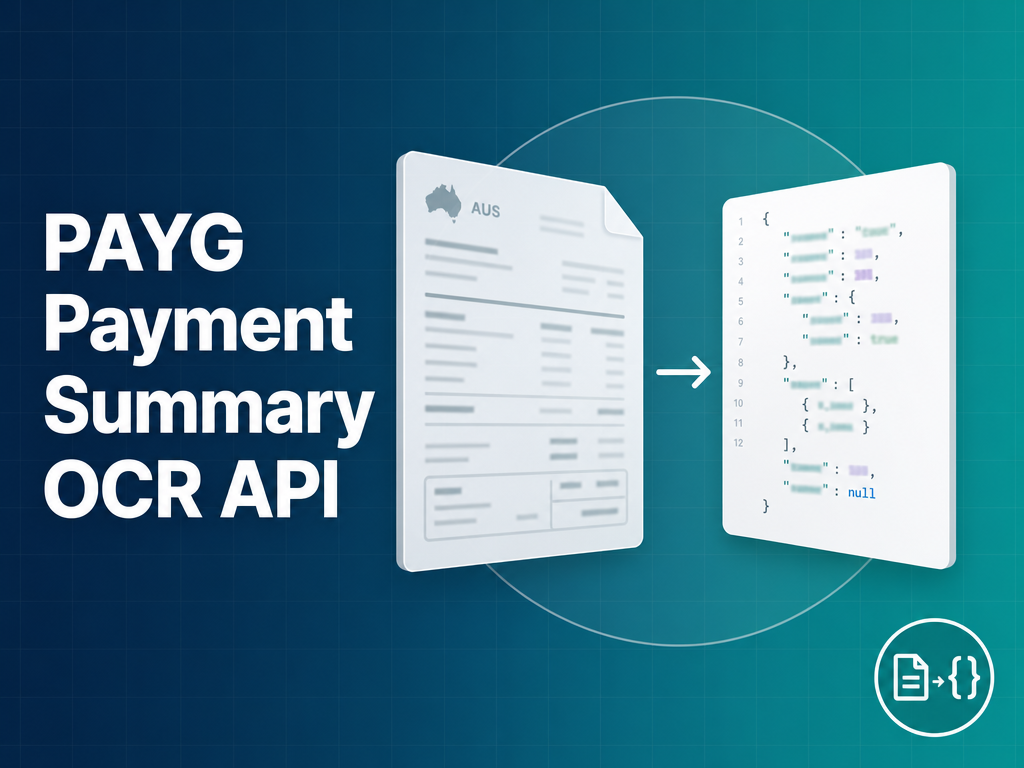
A well-structured PAYG OCR API returns a normalised JSON object with clearly labelled keys, a confidence score, and explicit null values for fields absent from the specific document. Here is a complete example for a standard individual income payment summary:
{
  "document_type": "PAYG Payment Summary",
  "payment_year": "2024-25",
  "confidence": 0.96,
  "payer": {
    "abn": "51 824 753 556",
    "name": "Meridian Staffing Solutions Pty Ltd"
  },
  "employee": {
    "name": "Sarah Jane Thornton",
    "tfn_masked": "***-***-123"
  },
  "income": {
    "gross_income": 94500.00,
    "tax_withheld": 22840.00,
    "total_allowances": 2400.00,
    "help_hecs_debt": 3150.00,
    "reportable_fringe_benefits": null,
    "reportable_employer_super": 1200.00,
    "union_fees": 480.00,
    "workplace_giving": null
  },
  "lump_sums": {
    "lump_sum_a": null,
    "lump_sum_b": null,
    "lump_sum_d": null,
    "lump_sum_e": null
  }
}
The confidence score at document level is a weighted average across all extracted fields. For production workflows, request per-field confidence scores as well — they let you auto-approve high-confidence extractions and route only the uncertain fields for human review, which is how you keep throughput high without sacrificing accuracy on edge-case documents.
Quickstart
A single API call submits a PAYG payment summary — as a PDF or image file — and returns the structured JSON shown in the section above, with every ATO field mapped to a labelled key and per-field confidence scores included for review routing. The API supports both single-document and batch submission patterns, making it suitable for real-time onboarding workflows as well as EOFY bulk processing. For authentication details, endpoint paths, and integration code examples in multiple languages, see the FormX documentation at help.formx.ai.
Handling Edge Cases in Australian PAYG Forms
Scanned paper forms and mobile photos
Paper PAYG summaries submitted by employees during onboarding, mortgage applications, or manual lodgement arrive as scans or phone photos. Image quality varies significantly: a 600 DPI flatbed scan is clean; a phone photo taken at an angle under fluorescent lighting is not. Pre-processing — deskewing, contrast normalisation, resolution upscaling — is required before character recognition runs. On real-world phone photos the practical accuracy floor is around 92–94% at field level. Documents below an effective 200 DPI resolution should be flagged for manual review regardless of the extractor used.
Pre-STP PAYG Summaries and Group Certificates
Documents pre-dating STP fall into two distinct categories. PAYG Payment Summaries (2001–2018) share the PAYG Payment Summary label with current documents but have different field label conventions and sometimes lack HELP repayment fields. Group Certificates (pre-2001) are the earlier predecessor format where “Income tax withheld” appeared where “Tax withheld” now does. An extraction API that only handles current-format documents will produce incorrect field mappings on both categories without raising an error. Check whether the tool explicitly lists support for each category before using it for historical tax year corrections or amended lodgements covering years prior to STP.
Multi-employer summaries
An employee who held two roles during the financial year receives two separate PAYG summaries. When both arrive in the same PDF upload, the extractor must segment them as distinct documents before extracting fields from each. A common failure mode is treating both summaries as a single document and summing gross incomes — returning one record instead of two. For downstream workflows, gross income must remain attributed to each employer separately, since each payer ABN and its associated tax withheld are reported independently to the ATO.
Amended payment summaries
Employers issue amended payment summaries when errors are found in the original. The amended version typically contains a tick-box or the text “Amended” or “Revised” printed on the document. Extraction pipelines that process amended summaries without surfacing the amendment indicator create duplicate or conflicting records in downstream systems. A purpose-built PAYG extractor returns is_amended: true as a boolean field in the JSON, which your processing logic can use to trigger a reconciliation step against the original.
Digital-native PDFs from payroll software
Xero, MYOB, KeyPay, and other payroll platforms generate text-selectable PDFs — the character data is embedded in the PDF layer and does not require image processing. These are the cleanest inputs and produce the highest extraction accuracy. The risk is field misalignment if the platform changed its template between financial years. An API that hard-codes field positions to one version of a platform’s output will break silently when the template updates. Semantic field matching — identifying fields by their label text rather than pixel coordinates — is more robust across template versions.
PAYG OCR API vs Generic Document AI
An honest comparison of three approaches for extracting Australian PAYG data:
| FormX | AWS Textract (custom queries) | DIY Tesseract + regex | |
|---|---|---|---|
| Setup time | Minutes | Days to weeks (query configuration and testing) | Weeks (model and regex development) |
| PAYG-specific field accuracy | High — trained on ATO form variants | Medium — requires custom query per field | Low — regex breaks on format variation |
| Handles ATO format variations | Yes | Partial — tunable but not pre-built for ATO | No — must write per-template rules |
| Pre-2018 Group Certificate support | Yes | Requires separate configuration | Build from scratch |
| Australian compliance (TFN masking, ABN format) | Native | No built-in compliance features | No |
| HELP/HECS and reportable FBT fields | Native support | Requires explicit query per field | Manual regex |
| Per-field confidence scores | Yes | Yes | No |
| Pricing model | Per page, no monthly minimum | Per page plus AWS infrastructure overhead | Free runtime, significant dev time cost |
When generic tools are adequate: If you process fewer than a few hundred PAYG summaries per year, all from the same payroll platform, and your documents are clean digital PDFs, AWS Textract’s Queries feature with a custom query set is a workable option. You will need to tune queries, test against your specific document variants, and build post-processing logic — but for low-volume, low-variance workloads that investment is manageable.
Where a purpose-built API is the better fit: EOFY batch processing across multiple employers, mixed document quality (scanned and digital combined), pre-2018 Group Certificates, or any workflow where HELP/HECS, reportable FBT, lump sum types, and amended summary flags need to be reliably extracted. The PAYG-specific schema returns those fields correctly labelled without requiring custom query configuration or post-processing logic on your end.
Integrating PAYG Extraction into Your Workflow
EOFY batch processing pattern
The EOFY window runs from July 1 to the late October individual lodgement deadline. Most volume arrives in July and early August. A batch processing pattern for this period looks like:
- Watch a shared inbox or cloud storage folder for incoming PAYG PDFs
- Submit each document to the PAYG OCR API endpoint on arrival
- Store the JSON response against the employee record in your system
- Flag documents with confidence scores below your threshold for manual review
- Export a reconciliation report showing gross income, tax withheld, and HELP repayment totals per employee for ATO pre-fill comparison
For batches under 50 documents, synchronous processing (one call, wait for response, move to next) is straightforward. For larger batches, the batch endpoint accepts multiple document references in a single request and returns results via polling or webhook, preventing total processing time from scaling linearly with volume.
Real-time extraction during employee onboarding
The other major use case is onboarding: collecting proof of income before employment begins. PAYG summaries from the prior financial year are routinely requested as income verification. In this workflow:
- Employee uploads a PAYG summary through your portal
- Your backend submits the document to the API and receives JSON in seconds
- Pre-fill the gross income and employer ABN fields in your onboarding form
- Display a confirmation prompt asking the employee to verify the pre-filled values
This eliminates manual data entry for both the employee and your HR team. The confidence score determines whether the pre-fill should be presented as confirmed or as a suggestion requiring active verification before the form can proceed.
Matching extracted data against payroll records
For payroll software vendors and large employers, PAYG extraction enables a discrepancy detection workflow: extract gross income and tax withheld from issued payment summaries and compare them against the payroll system’s records for the same employee and financial year. Discrepancies — from amended pay runs, incorrectly processed allowances, or system migration errors — surface before they become ATO compliance issues. The extracted payer_abn also cross-checks that the correct legal entity appears on the summary, which matters in corporate group structures where payroll runs through multiple entities.
Frequently Asked Questions
Does this work with digital-native PDFs as well as scanned images?
Yes. Digital-native PDFs generated by payroll software like Xero, MYOB, and KeyPay are typically the cleanest input format. The API reads both the embedded text layer and the visual layout, so it handles text-selectable PDFs and scanned images using the same endpoint with no additional configuration. For digital PDFs, accuracy is generally higher because there is no image noise to contend with.
What accuracy should I expect on real-world PAYG forms?
On clean digital PDFs from major Australian payroll platforms, expect 97–99% field-level accuracy. On good-quality scanned documents (300 DPI or higher, minimal skew), expect 93–96%. On low-quality inputs — phone photos, photocopies of faxes, or documents with handwritten corrections over printed values — accuracy drops to the low-to-mid 80s. Any production workflow should use confidence thresholds to route the lowest-confidence documents to manual review rather than auto-approving all extractions.
How does this handle the transition from PAYG summaries to ATO pre-fill under STP?
STP means most employees now access income statements through myGov rather than receiving paper summaries. However, document extraction is still needed for: employees who have not set up myGov access, employers with STP exemptions, historical tax returns being amended for pre-STP years, and non-individual entities. A PAYG OCR API handles all of these scenarios; STP reduces routine annual volume but does not eliminate the need for extraction on the documents that remain in circulation.
Is there a batch endpoint for processing hundreds of forms at once?
Yes. The batch endpoint accepts an array of document references (file URLs or upload IDs from a preceding upload step) in a single request. Results are returned via webhook or a polling endpoint rather than blocking the HTTP connection until all documents are processed. For EOFY batch jobs this is the recommended approach — it keeps your processing pipeline from depending on a single long-running HTTP connection.
How is PAYG data handled for privacy compliance under Australian law?
PAYG payment summaries contain Tax File Numbers and income data, both protected under the Privacy Act 1988 and the ATO’s TFN guidelines. The FormX API masks TFN digits in the extraction output by default (returning only the last three digits), does not retain document content after extraction is complete, and encrypts all data in transit. For organisations subject to the Australian Privacy Principles, the key consideration is the controller/processor relationship: in most onboarding or payroll contexts you are the data controller and the API provider is a processor, which means your privacy policy and data processing agreements govern how the information may be used.
PAYG season is short. If you’re processing summaries manually or using a generic document tool that returns raw text without field labels, you’re absorbing a bottleneck that a purpose-built PAYG API eliminates in a single integration.
Try the free PAYG extractor tool to test extraction on your own documents with no signup required. To discuss batch processing or API integration for EOFY workflows, schedule a demo.