
P60 OCR API: Extract Structured Data from P60 Forms (with Code Examples)
Learn how a P60 OCR API extracts structured data from UK P60 tax certificates, covering field mapping, income verification, JSON output, and payroll integration with code examples.
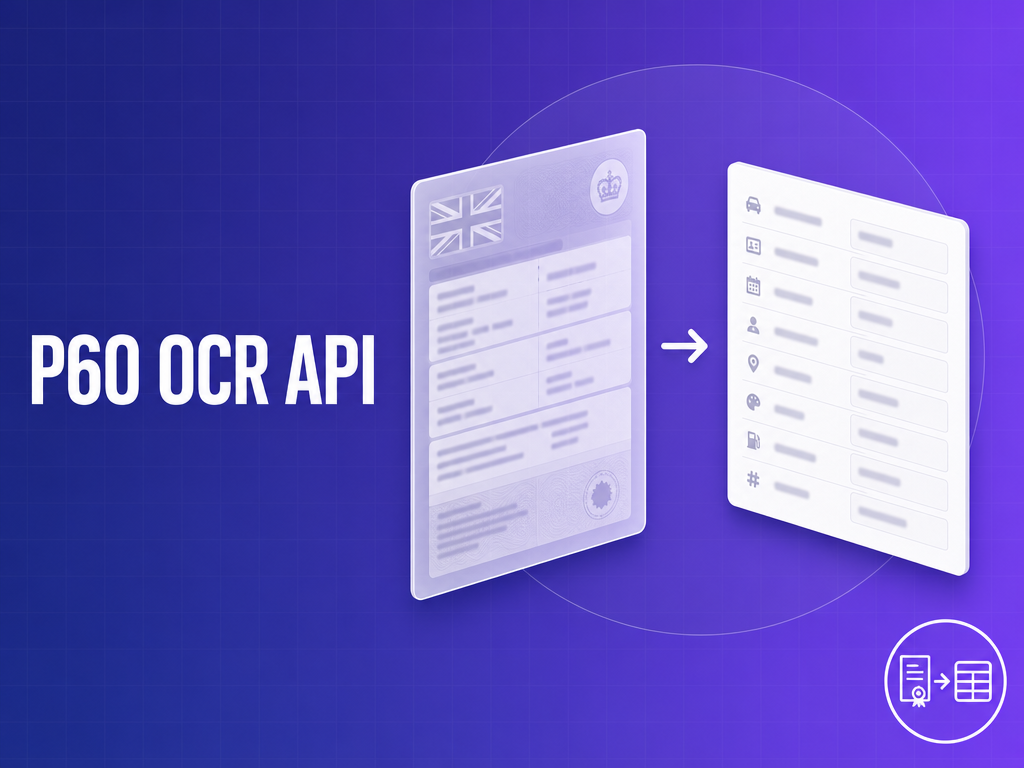
UK payroll teams and fintech developers integrating P60s into mortgage verification, income confirmation, or year-end reconciliation pipelines run into the same wall: P60s arrive from dozens of different payroll software platforms, each generating a unique layout, and generic OCR breaks on all of them. A purpose-built P60 OCR API extracts every mandatory field — NI number, PAYE reference, gross pay, NI contributions by category, statutory payments — and returns normalized JSON regardless of whether the source document came from Sage, Xero, BrightPay, or a scanned HMRC booklet.
This guide covers the complete P60 field schema, format variations your pipeline will encounter, code examples for the FormX API, and implementation patterns for both payroll reconciliation and regulated income verification workflows.
What is a P60? A Developer’s Quick Reference
A P60 (also called the End of Year Certificate) is a summary document issued by an employer to each employee still on their payroll at the end of the UK tax year. It shows total pay and tax deductions for that tax year, along with National Insurance contributions broken down by category.
The UK tax year runs from 6 April to 5 April — not a calendar year. This is a critical gotcha for developers building on systems that assume January–December. A P60 for the “2024/25 tax year” covers 6 April 2024 to 5 April 2025. Employers must issue P60s by 31 May following the tax year end.
Key facts developers need to hold:
- Issued by the employer, not HMRC directly
- Only issued to employees still employed at 5 April (leavers during the year get a P45 instead)
- One P60 per employer — employees with two jobs get two P60s
- Not a substitute for a payslip, and not the same as a tax calculation (SA302)
- P60s include income from previous employment in the same tax year if the employee joined mid-year (figures carried from their P45)
P60 vs P45 — what developers get confused about
The P45 and P60 are distinct documents that appear in different integration contexts. Confusing them at the integration layer is a common failure mode.
A P45 is a leaver document. It is issued when an employee leaves a job mid-year. It shows pay and tax for the period of employment only, not the full tax year. A new employer uses the P45 to set up the correct tax code for the employee.
A P60 is an end-of-year document. It is issued after 5 April to every employee still on the payroll. It covers the full tax year and includes any previous employment figures (carried over from a P45 received earlier in the year).
If your pipeline receives a P45 where it expects a P60 — wrong total pay figure, wrong date range, missing NI contribution categories — document type detection must catch this before extraction. The structures overlap in field names but differ in scope and when they are issued.
P60 Fields — Complete Extraction Schema
This is the most operationally important section. P60s contain a defined set of mandatory fields, but real-world documents frequently omit blank fields entirely or use software-specific label text. Every field in the table below must be handled — including the case where it is absent or blank.
| Field | Data Type | Format / Notes |
|---|---|---|
| Employee surname | String | Often printed as “Surname” or “Last name” |
| Employee forenames | String | First and middle names; sometimes a single “Name” field |
| National Insurance number | String | Always 9 characters: XX999999X (two letters, six digits, one letter). Use as the unique key for employee matching. |
| PAYE reference | String | Format NNN/XXXXXXX — 3-digit HMRC district code followed by employer reference. Can be used to verify the issuing employer. |
| Tax year | String | Printed as “6 April 2024 to 5 April 2025” — never a calendar year. Extract both the start and end year. |
| Total pay in this employment | Decimal | Gross pay earned with this employer in the tax year. Primary income figure for verification use cases. |
| Total tax deducted | Decimal | Total PAYE income tax deducted in the tax year |
| Pay in previous employment | Decimal | Pay from a previous employer (carried from P45 if the employee changed jobs mid-year). Frequently blank — must not be treated as zero without checking. |
| Tax in previous employment | Decimal | Tax from a previous employer. Same caveat as above. |
| NI contributions — earnings at Lower Earnings Limit | Decimal | Per category letter (A, B, C, D, J, M, Z). Earnings band |
| NI contributions — earnings above LEL up to PT | Decimal | Per category letter |
| NI contributions — earnings above PT up to UEL | Decimal | Per category letter |
| NI contributions — employee contributions | Decimal | Actual NI deducted from employee pay, per category letter |
| NI category letter | String | One or more letters (A, B, C, D, J, M, Z). Multiple categories appear when an employee’s status changed during the year. |
| Student loan deductions | Decimal | The form prints separate boxes for “Student Loan deductions” and “Postgraduate Loan deductions” — no plan type identifier appears on the form itself. A blank box means the deduction did not apply. A blank field is not the same as a £0 deduction — common extraction error. |
| Final tax code | String | E.g. 1257L, BR, 0T. Letter suffix indicates basis (L = standard personal allowance, W1/M1 = week/month basis). |
| Statutory Maternity Pay (SMP) | Decimal | Frequently zero but must be extracted when present |
| Statutory Paternity Pay (SPP) | Decimal | Frequently zero |
| Statutory Adoption Pay (SAP) | Decimal | Frequently zero |
| Shared Parental Pay (ShPP) | Decimal | Frequently zero |
| Statutory Parental Bereavement Pay (SPBP) | Decimal | Added to P60 from the 2020–21 tax year; frequently zero |
| Statutory Neonatal Care Pay (SNCP) | Decimal | Added to P60 from the 2025–26 tax year; frequently zero |
Note on sparse forms: Many real P60s only print fields that have non-zero values. Statutory payment fields are often absent entirely rather than printed as £0. Your extraction pipeline must treat a missing field as null (unknown) rather than zero, and your downstream system must handle null gracefully. This distinction matters for audit trails in regulated contexts.
P60 Format Variations — What Your OCR Pipeline Will Actually See
Template-based OCR breaks on P60s because P60s do not have a single template. Here is what production pipelines actually encounter.
Software-generated PDFs
The majority of P60s your pipeline will receive are PDFs generated by UK payroll software. Each platform produces its own layout:
- Sage Payroll — landscape layout, tabular NI section on the right side, employer header at top left
- Xero Payroll — portrait, minimal styling, fields in a two-column grid
- QuickBooks Payroll — fields arranged vertically, PAYE reference positioned above NI number
- BrightPay — dense formatting, all NI categories printed as a table even when most are blank
- MoneySoft — older layout conventions, smaller font sizes
Field positions, font sizes, label text, and column arrangements all differ. An OCR model relying on pixel coordinates for field detection fails when it encounters a platform it was not trained on. ML-based extraction that identifies fields by semantic meaning (what the label says and what surrounds it) handles layout variation without retraining.
HMRC P60 booklet (paper, scanned)
HMRC issued physical P60 booklets that employers filled in manually or fed through dot-matrix printers for many years. These still appear as scanned documents when employees digitize paper records. Two current HMRC-official form variants exist: P60(Single Sheet) and P60(Continuous) for tractor-feed printers. A third variant, P60(Laser Sheet), was withdrawn from HMRC’s employer orderline after the 2012–13 tax year and will only appear in legacy archives, not in contemporary processing. Each has a distinct visual layout. Handwriting appears on older booklets, particularly in the employee name and NI number fields.
Employer substitute forms
HMRC permits employers to issue “substitute” P60s with entirely custom layouts, provided all mandatory fields are present. There is no constraint on label wording, field order, or visual design. Substitute forms from large employers (retailers, NHS trusts, financial institutions) look nothing like HMRC booklets or payroll software output. If your pipeline only sees documents from one employer, this may not matter. If you are building a platform that aggregates P60s from multiple sources, substitute forms will appear.
Digital HMRC Personal Tax Account exports
Employees can download a digital P60 equivalent from their HMRC Personal Tax Account. These are formatted as HMRC-branded PDFs, structured differently from any employer-issued document. The layout is closer to an HMRC letter than a payslip. Field labels use HMRC’s own terminology, which does not always match employer payroll software conventions.
Edge cases
- Rotated scans: Paper P60s fed into a scanner at the wrong orientation. Pre-processing must detect and correct rotation before extraction.
- Multi-page PDFs: Some payroll platforms bundle P60 + payslip summary in a single PDF. Document segmentation must isolate the P60 before field extraction.
- Handwritten fields on older booklets: NI numbers, employee names, and pay figures entered by hand. Handwriting recognition accuracy is lower than printed text — flag these for human review.
- Redacted NI numbers: Employees sometimes redact their NI number before submitting. The extraction API must return null rather than hallucinating a value.
- Multiple P60s for one NI number in the same tax year: This is valid — two employers, two P60s. Reconciliation systems must upsert by
(ni_number, paye_reference, tax_year)rather than just NI number.
Using the FormX P60 OCR API — Quickstart
A single API call submits a P60 as a PDF or image and returns a structured JSON response with every field labelled and per-field confidence scores included. The API handles single-document submissions synchronously and batch submissions asynchronously, with results delivered via webhook or a polling endpoint. For authentication details, request parameters, and integration code examples, see the FormX documentation at help.formx.ai.
Annotated JSON response
{
  "document_type": "p60",
  "tax_year": {
    "start": "2024-04-06",
    "end": "2025-04-05",
    "label": "6 April 2024 to 5 April 2025"
  },
  "employee_name": {
    "surname": "Okafor",
    "forenames": "Chidi James"
  },
  "national_insurance_number": "AB123456C",
  "paye_reference": "123/AB45678",
  "total_pay_this_employment": 52800.00,
  "total_tax_deducted": 9560.40,
  "pay_previous_employment": 8200.00,
  "tax_previous_employment": 1312.00,
  "ni_contributions": [
    {
      "category": "A",
      "earnings_lower_earnings_limit": 6396.00,
      "earnings_lel_to_pt": 6396.00,
      "earnings_pt_to_uel": 40284.00,
      "employee_contributions": 3623.08
    }
  ],
  "student_loan": {
    "plan_type": "SL2",
    "amount_deducted": 1440.00
  },
  "tax_code": "1257L",
  "statutory_payments": {
    "smp": null,
    "spp": null,
    "sap": null,
    "shpp": null
  },
  "confidence": 0.96,
  "field_confidence": {
    "national_insurance_number": 0.99,
    "paye_reference": 0.98,
    "total_pay_this_employment": 0.97,
    "total_tax_deducted": 0.96,
    "pay_previous_employment": 0.94,
    "ni_contributions": 0.95,
    "student_loan": 0.91,
    "tax_code": 0.99,
    "statutory_payments": null
  }
}
Notes on this response:
statutory_paymentsfields arenull(not present on the document) rather than0.00. Treat null as “not applicable” rather than “zero deducted.”student_loan.plan_typeis extracted from the pre-printed label (SL1, SL2, PGL). If the label is present but no adjacent value exists,amount_deductedwill benull.tax_year.startandtax_year.endare returned as ISO dates for downstream comparison without string parsing.field_confidenceatnullforstatutory_paymentsmeans the fields were not present on the document — confidence is not applicable.pay_previous_employmentreturning0.94confidence flags it for review if your threshold is above 0.95.
Use Case 1 — Payroll Automation and Year-End Reconciliation
Year-end is when P60 volume spikes. A payroll team processing 500 employees at once cannot manually key every document. The extraction pipeline extracts all P60s, then matches each extracted record against the payroll system to verify the figures agree.
The match key is the NI number (national_insurance_number). This is always 9 characters in format XX999999X and is unique per employee. Use it as the primary join key rather than name (name changes, spelling variations) or PAYE reference (same employer reference across all employees).
The reconciliation logic loads extracted P60 results alongside the payroll system’s year-to-date export, then matches each record by NI number. For each match, total_pay_this_employment and total_tax_deducted from the P60 are compared against the payroll system’s YTD figures, flagging any difference above a rounding tolerance as a discrepancy for manual review. Records where the NI number is absent, low-confidence, or missing from the payroll export route to separate queues rather than being silently skipped.
Two P60s for one NI number in the same tax year is valid — an employee held two jobs. Your upsert logic must key on (national_insurance_number, paye_reference, tax_year) to handle this correctly, not just on NI number alone.
At scale (500 P60s), this pipeline completes in minutes rather than a full working day of manual entry. Discrepancies flagged by the script go to a human reviewer; clean matches flow directly into the reconciliation report.
Use Case 2 — Income Verification for Mortgage and Lending
Mortgage lenders and credit brokers use P60s to verify declared income before a lending decision. This is a regulated context. The extraction pipeline must be accurate, auditable, and produce output suitable for a compliance file.
What lenders actually need from the P60:
total_pay_this_employment— the primary income figure to compare against the declared gross salary on the applicationtax_year— verify the P60 is for the correct tax year (typically the most recent completed tax year). A P60 for 2022/23 is not acceptable for a 2025/26 application where 2024/25 is available.paye_reference— verify the issuing employer matches the employer named on the application. TheNNN/prefix (HMRC district code) confirms the document was issued through the PAYE system.national_insurance_number— match against other identity documents submitted by the applicant (passport, driving licence NI cross-check)confidenceandfield_confidence— required for the audit trail. Flag any extraction below your threshold for manual review before the document enters the compliance file.
Verifying income against the declared figure:
The income check compares total_pay_this_employment from the P60 extraction against the gross salary declared on the mortgage application. A variance above a defined tolerance — typically around 2% to accommodate bonus timing and rounding differences — flags the record for underwriter review rather than auto-approving it.
Tax year verification:
Tax year verification reads tax_year.end from the extraction response and confirms it corresponds to the most recently completed tax year. Because employers must issue P60s by 31 May, a P60 dated more than one tax year back is flagged when a more recent one should be available for the applicant to provide.
Confidence thresholds for regulated use: A general-purpose confidence threshold of 0.90 is appropriate for internal payroll processing. For a regulated mortgage decision, raise the per-field threshold to 0.95 on total_pay_this_employment, national_insurance_number, and tax_year. Fields below threshold route to a human underwriter for manual verification rather than auto-approval.
Audit trail: The full JSON extraction response — including field_confidence values and the source_file identifier — should be stored alongside the compliance document. This demonstrates that income figures were machine-extracted with a known confidence level, not manually keyed. Most lenders and compliance teams accept structured JSON extraction output as documentary evidence when it includes confidence scores and a document identifier.
Handling Edge Cases and Improving Accuracy
Low confidence score handling
Field-level confidence scores are what make automated P60 pipelines viable at scale. The right approach is a threshold per field category, not a single document-level threshold:
national_insurance_number,tax_year: threshold 0.98. These are high-stakes identity and period fields with known formats. Low confidence here almost always means a document quality issue worth catching.total_pay_this_employment,total_tax_deducted: threshold 0.95. Core financial figures.ni_contributions,student_loan: threshold 0.90. These are more likely to vary by format.
Documents below threshold on critical fields go to a review queue, not the rejection pile. Most low-confidence extractions are recoverable with a 30-second human check.
Pre-processing recommendations
Scanned P60s benefit from pre-processing before extraction:
- Resolution: 300 DPI minimum. Below 200 DPI, character recognition on smaller fonts (7–8pt in NI contribution tables) degrades significantly. If you receive low-DPI mobile phone photos, upscale with a super-resolution model before submitting.
- Deskew: Rotation above 5 degrees causes line misdetection. Most API pipelines handle this automatically, but for very high-quality requirements, pre-process with a deskew step.
- Contrast normalisation: Faded dot-matrix prints and photocopies of photocopies lose contrast. A contrast enhancement pass before extraction improves character recognition on these documents.
FormX applies these pre-processing steps automatically. If you are building your own pipeline with a third-party OCR engine, apply them before submission.
Multiple P60s in a single file
Some payroll software exports all employees’ P60s into a single PDF (one per page, or multiple per page). The extraction API must segment the document before field extraction. Specify multi_document: true in your request parameters; the API returns an array of extraction objects, one per detected P60. Verify that the document count in the response matches your expected employee count before processing.
Redacted or partially visible NI numbers
Employees sometimes submit P60s with the NI number blacked out or partially redacted. Return null for the field rather than attempting to infer the missing characters. A partially visible NI number — where only the last 4 digits are legible — should return the known characters and null for the rest, not a guess. Flag these for manual identity verification.
Multi-employer scenarios
An employee who held two jobs in the same tax year has two P60s with the same NI number. This is expected and valid — do not treat a duplicate NI number as an error. The pair is distinguished by paye_reference. When aggregating income across both P60s (for income verification or payroll reconciliation purposes), sum total_pay_this_employment across both documents and verify the combined figure against the application or payroll record. Note that pay_previous_employment on the second employer’s P60 will carry the first employer’s figures if the employee moved jobs during the year — avoid double-counting.
Free Tier and Pricing
Free tier: FormX offers 100 free pages with no signup required. You can upload real P60 PDFs at formx.ai/tools/p60-converter and see the full extracted JSON output before writing a line of integration code. No credit card, no account creation.
PAYG (pay-as-you-go): £0.30 per page after the free tier, with no monthly minimum and credits that never expire. For seasonal P60 processing (year-end spike in May, low volume the rest of the year), PAYG is significantly cheaper than a subscription model that charges the same rate every month.
Starter: £299/month for 3,000 pages. Suited for HR platforms or mortgage brokers with consistent monthly P60 volume from multiple clients.
Enterprise: Custom pricing with volume discounts, SLA, dedicated account manager, and private cloud deployment. For regulated financial services contexts where data cannot leave a specific region or infrastructure, private cloud is the route to take.
The free tier covers most proof-of-concept and pilot needs. Submit a representative sample of P60s from your document sources — Sage, Xero, scanned HMRC booklets — before committing to a plan.
Frequently Asked Questions
Does this work with digital P60 PDFs as well as scanned paper forms?
Yes. Digital PDFs generated by payroll software (Sage, Xero, QuickBooks, BrightPay, MoneySoft) are handled natively — no configuration required. Scanned paper P60s, including HMRC booklet variants, are also supported with automatic image pre-processing. The extraction model handles both input types through the same API endpoint. You do not need to specify which format you are submitting.
What is the difference between a P60 and a P45?
A P45 is issued when an employee leaves a job — it covers the period from the start of the tax year to the date of leaving. A P60 is issued at the end of the tax year (by 31 May) to employees still employed at 5 April. P60s can include figures from previous employment if the employee changed jobs mid-year (carried from their P45), but the two are distinct documents with different layouts and different purposes. Receiving a P45 when your pipeline expects a P60 is a common integration failure — document type detection should catch this before extraction.
Can the API handle P60s from different payroll software (Sage, Xero, BrightPay)?
Yes. FormX uses ML-based field extraction rather than template matching, so it handles different payroll software layouts without per-template configuration. Sage, Xero, QuickBooks, BrightPay, MoneySoft, and employer substitute forms all work through the same API call. If you encounter a payroll software layout that returns lower-than-expected confidence scores, contact support with a sample document — new layouts are incorporated into the model continuously.
Is this suitable for income verification in a regulated mortgage context?
Yes, with the right configuration. The JSON response includes per-field confidence scores, which are the key requirement for compliance audit trails. Route extractions where field_confidence.total_pay_this_employment is below 0.95 to a human underwriter rather than auto-approving. Store the full extraction response (including confidence scores) alongside the document in your compliance file. FormX is not a regulated entity and does not provide a lending decision — the extraction output is an input to your underwriting workflow, not a substitute for it.
What accuracy should I expect on scanned P60s?
On good-quality scans (300 DPI, minimal skew, no handwriting), extraction accuracy on core fields (gross pay, tax, NI number, PAYE reference) exceeds 95%. Accuracy degrades on low-DPI mobile photos (under 200 DPI), heavily faded dot-matrix prints, and handwritten fields on old HMRC booklets. Per-field confidence scores identify which extractions to route for manual review. For scanned P60 volumes where document quality is unknown, plan for approximately 5–10% of documents requiring human review on at least one field.
The FormX P60 OCR API handles the full range of P60 formats production pipelines encounter — payroll software PDFs, HMRC booklets, employer substitute forms, and digital tax account exports — and returns structured JSON with field-level confidence scores. No template configuration. No per-format onboarding.
Try the free P60 converter — no account required — at formx.ai/tools/p60-converter, or schedule a demo to walk through how the API fits into your payroll or income verification workflow.